This guide will help you on how to install mods on your Staxel Server.
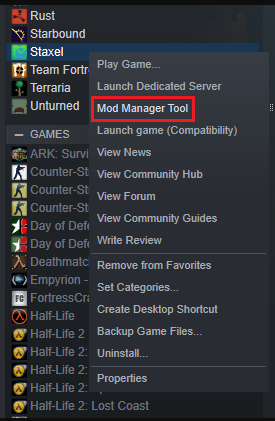
1. Open Mod Manager tool on your steam: https://www.gtxgaming.co.uk/wp-content/uploads/2026/10/install-mods-staxel-1.png
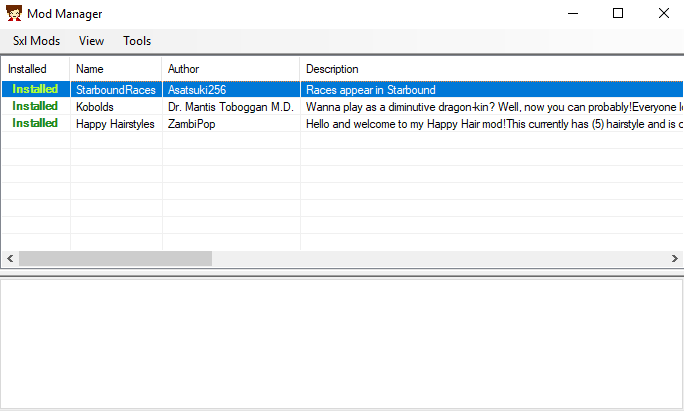
2. Install the mods you want: https://www.gtxgaming.co.uk/wp-content/uploads/2026/10/install-mods-staxel-2.png
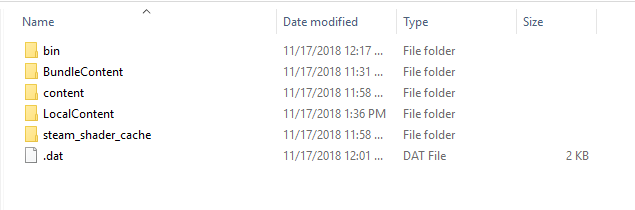
3. Open the game installation folder (usually C:\Program Files (x86)\Steam\steamapps\common\staxel) and you will see the bin\ and content\ folder: https://www.gtxgaming.co.uk/wp-content/uploads/2026/10/install-mods-staxel-3.png
4. Stop server, connect to your server FTP and delete the bin\ and content\ folder on your server and upload the ones from your computer: [How to connect to your server FTP](FTP Guide)