
Update your Minecraft Bedrock server in the game panel: set the Bedrock Version to latest (or a version number) on the Startup page, then click Reinstall Server on the Settings page.
When Minecraft updates, players on the new version can't join a server that is still on the old one. Updating keeps everyone on the same version. You can also pick a specific version, for example to match players who have not updated yet.
How to update your Minecraft Bedrock server
- Log in to your game panel at https://gamepanel2.gtxgaming.co.uk/
- Click Manage Server on the server you wish to update the Minecraft Bedrock version on.
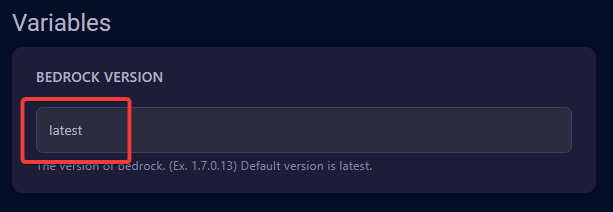
- Change to the Startup page.
- Ensure
latestis set in the Bedrock Version box. If you want to install a specific version enter the version number instead, e.g.1.7.0.13.
- Change to the Settings page.
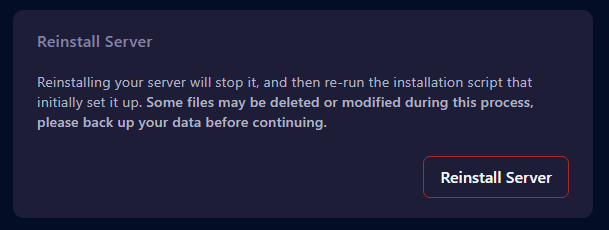
- Click Reinstall Server. This will install the version set previously.
Your save game will not be affected, however it is always best to backup first: Backing up your Minecraft server. The panel also warns that some files may be deleted or modified during the reinstall.
Minecraft Bedrock update questions
How do I update my Minecraft Bedrock server?
In the game panel at gamepanel2.gtxgaming.co.uk, click Manage Server, open the Startup page and make sure the Bedrock Version box says latest. Then go to the Settings page and click Reinstall Server. Back up first to be safe.
Can I install an older or specific Bedrock version?
Yes. Enter the version number in the Bedrock Version box on the Startup page instead of latest, for example 1.7.0.13, then click Reinstall Server on the Settings page.
Will updating delete my world?
Your save game will not be affected by the reinstall, but it is always best to make a backup first, as some files may be deleted or modified during the process.
Want your own Bedrock server? See our Minecraft Bedrock server hosting.
Related guides
Need a hand? Our support team is available 24/7. Open a support ticket.


