Add admins to your Day of Defeat: Source server with SourceMod: install MetaMod and SourceMod, add each admin's SteamID to admins_simple.ini, then type sm_admin in the console for the admin menu.
SourceMod gives your DoD:S server an in-game admin menu for kicking, banning, changing maps and more. You set up the admins once in the game panel, then they open the menu from the in-game console.
Before you start: enable the DoD:S console
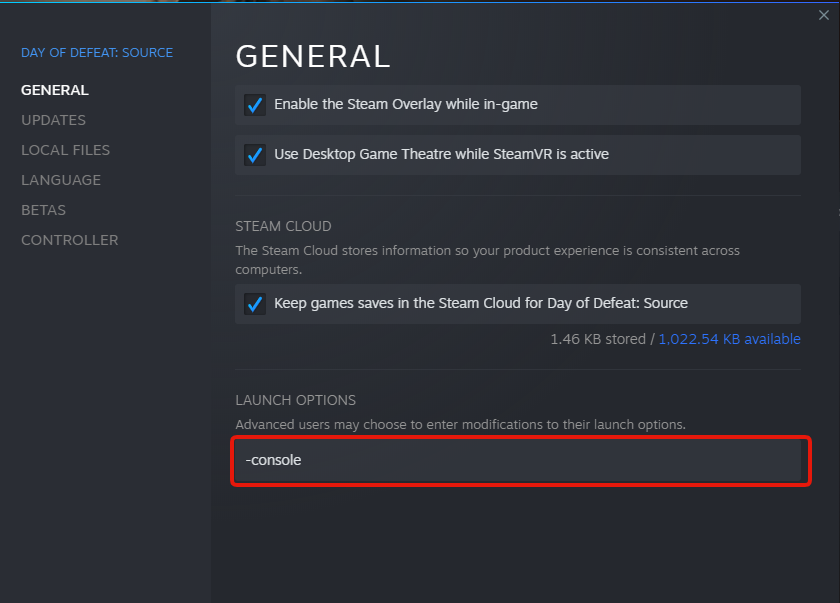
First, you need to enable the DoD:S console in Steam, so you can type admin commands in-game:
- Open Steam and right-click Day of Defeat: Source in your library.
- Select Properties.
- Type
-consolein the launch options field (Launch Options on the General tab). Click here for example.
How to add admins to your Day of Defeat: Source server
- Stop your server: open it in the game panel and press STOP.
- Go to the Mod Manager button and install MetaMod and then SourceMod.
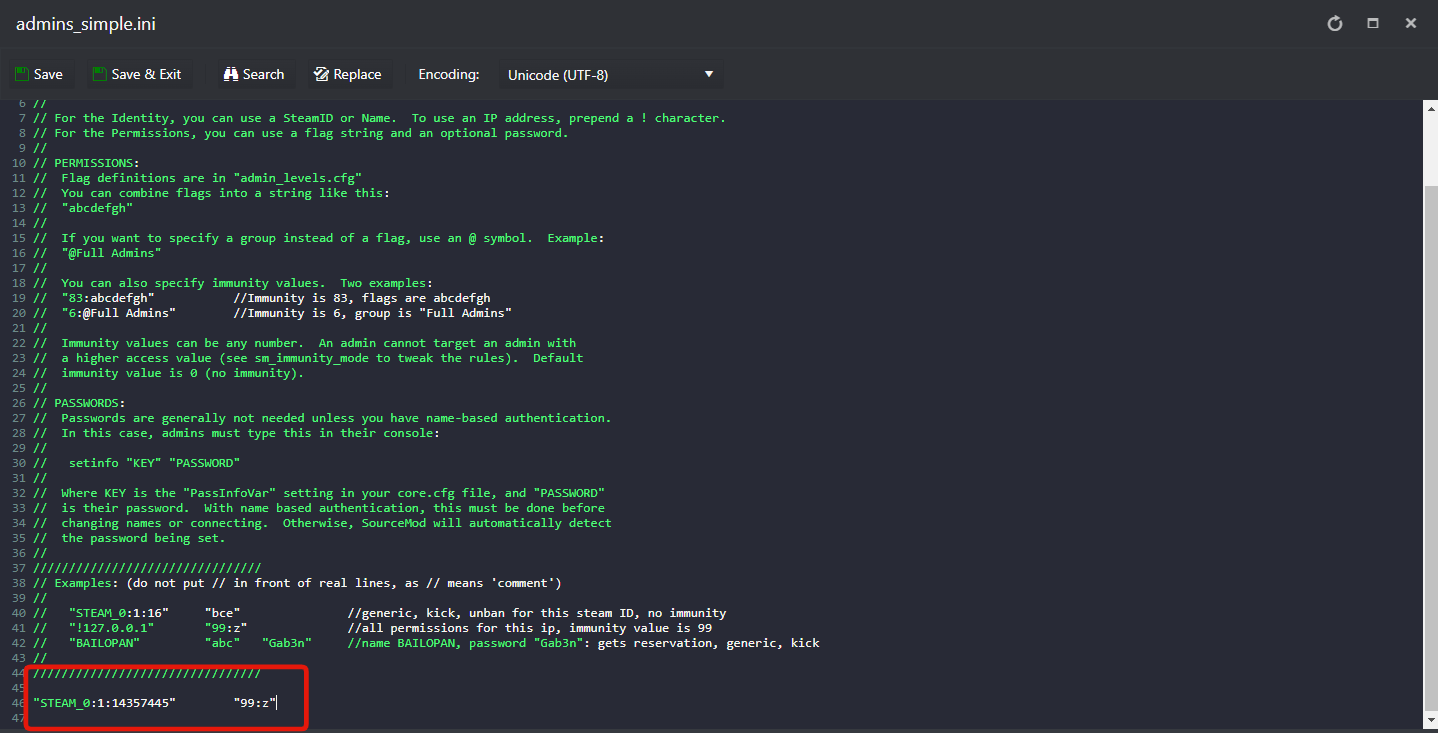
- Go to the Configuration Files button, edit
admins_simple.iniand at the end add your admins in the following format:"STEAM_0:1:16" "99:z"- You can get the SteamID of the players on this website: https://steamid.io/
- The
"99:z"flag gives full admin permissions. You can give individual flag permissions instead: check theadmin_levels.cfgfile for all available permission flags. - Your
admins_simple.inifile should look like this: Click here for example.
- Start the server: press START.
- Join the server, press ESC to go to the console and type
sm_admin. Go back to the game and you will see the admin menu.
Put one admin on each line. In "99:z", 99 is the immunity level and z is the root flag, which grants every permission. The full flag list is also on the SourceMod wiki.
Reload admins while the server is running
If for some reason you added/removed admins/flags while the server is running and you need to reload the admins file, go to the Web Console button and type sm_reloadadmins.
DoD:S admin questions
How do I add admins to my Day of Defeat: Source server?
Stop the server, install MetaMod and then SourceMod from the Mod Manager, and add a line such as "STEAM_0:1:16" "99:z" at the end of admins_simple.ini under Configuration Files. Start the server, join it and type sm_admin in the console to open the admin menu.
How do I open the DoD:S admin menu?
Enable the console by adding -console to the game's launch options in Steam. Join your server, press ESC to go to the console, type sm_admin and go back to the game: the admin menu appears.
Do I need to restart the server after changing admins_simple.ini?
No. If the server is running, open the Web Console in the game panel and type sm_reloadadmins to reload the admins file.
Want your own Day of Defeat: Source server? See Day of Defeat: Source server hosting.
Related guides
Any questions, or need our help? Our support team is available 24/7: Open a support ticket.