
Download your ASKA BepInEx ModPack from your server in one go: press Download BepInEx ModPack, grab BepInExModPack.exe from the File Manager and extract it into your ASKA folder.
Getting the Incompatibility Error when you join your server? Or want to download all your mods and configs from your server to your computer for another reason? Use our automatic BepInEx ModPack installer: it packs your server's BepInEx mods and configs into one file you run on your PC.
How to download the ASKA BepInEx ModPack folder
- Stop your server: press STOP in the game panel.
- Close your ASKA game.
- Press the Download BepInEx ModPack button.
- Go to the File Manager button and download the
BepInExModPack.exefile to your computer, as in the example below.
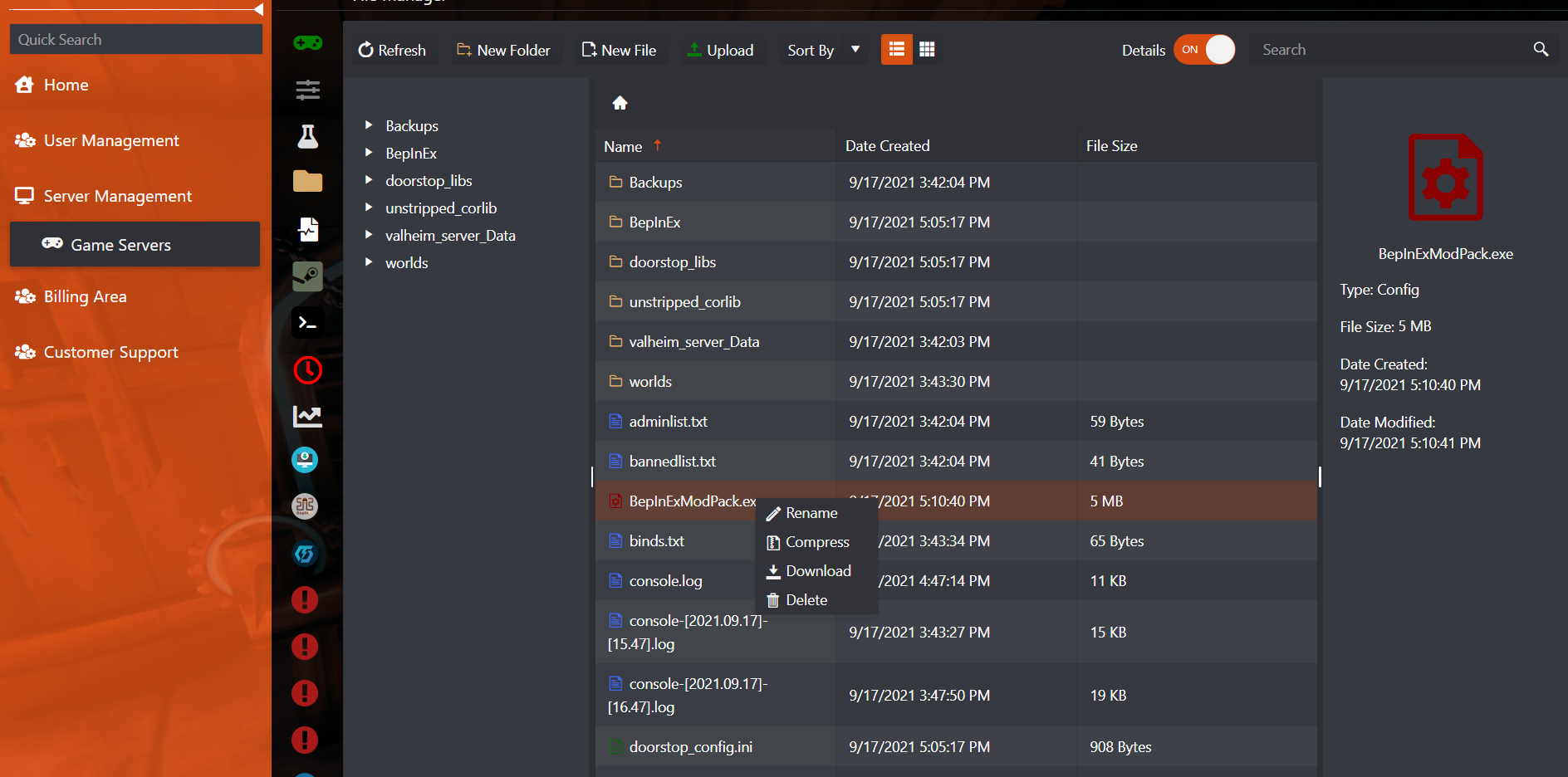
- Run the
BepInExModPack.exefile you downloaded and extract it to your ASKA installation folder. If Windows shows a warning when you run it, accept it: it's perfectly safe.
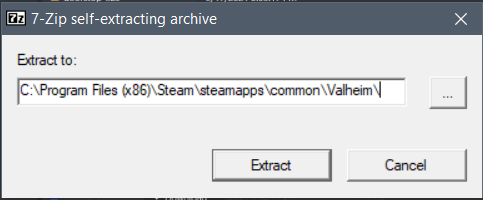
Not sure where your ASKA folder is? In Steam, right-click ASKA, then Manage › Browse local files, and copy that path into the Extract to field. Every player who joins needs the same mods, so share the same ModPack file with your friends.
ASKA BepInEx ModPack questions
How do I download the ASKA BepInEx mods from my server?
Stop the server and close ASKA, press Download BepInEx ModPack in the game panel, download BepInExModPack.exe from the File Manager and run it, extracting it into your ASKA installation folder.
How do I fix the Incompatibility Error on a modded ASKA server?
Your game's mods don't match the server's. Download the server's BepInEx ModPack with the steps above and extract it into your ASKA folder, so your mods and configs match the server exactly.
Is BepInExModPack.exe safe to run?
Yes. It is a self-extracting archive made from your own server's BepInEx files. If Windows shows a warning when you run it, accept it and extract the files into your ASKA installation folder.
Want your own modded ASKA server? See ASKA server hosting.
Related guides
If you have any questions or you need our help, don't hesitate to contact us. Our support team is available 24/7: open a support ticket.


