
How to add modpacks to Minecraft Java on your GTX server: open the Modpacks page in the Minecraft game panel, pick a provider such as CurseForge or Modrinth and install the pack in a few clicks.
If your server does not start after installing a modpack, ensure that the correct Java version is set by following the Setting the Java Version guide.
How to add a modpack to your Minecraft Java server
- Log in to your game panel at https://gamepanel2.gtxgaming.co.uk/
- Click Manage Server on the server you wish to install a modpack on.
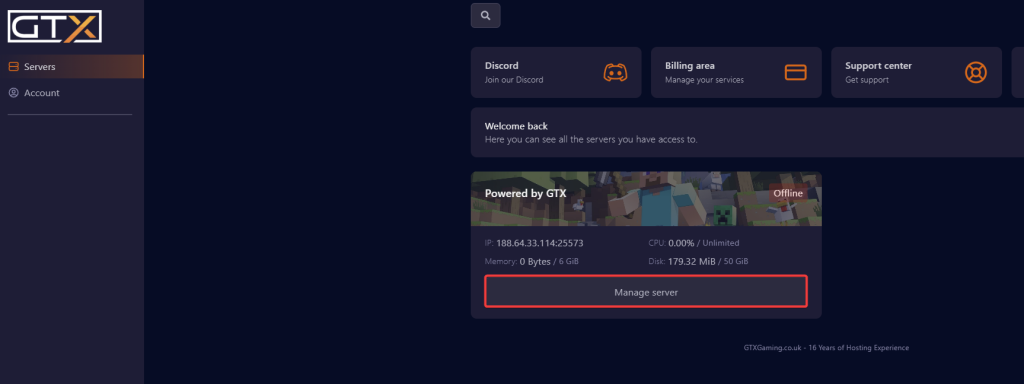
- Change to the Modpacks page in the left menu.
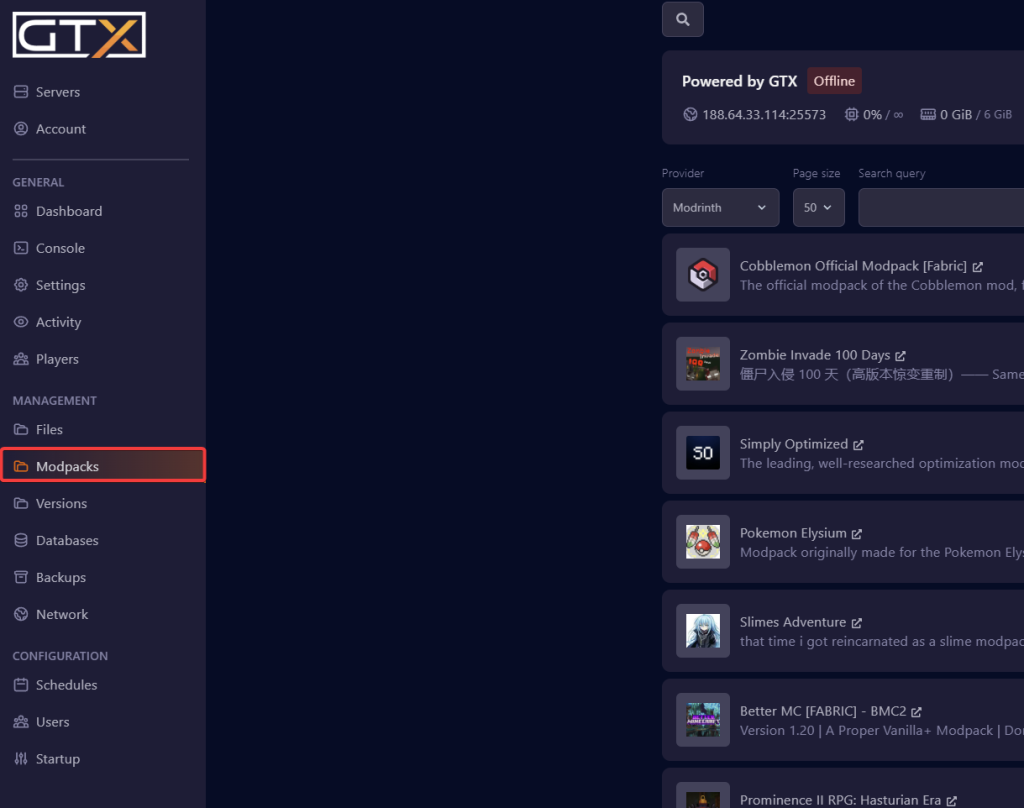
- Select the Modpack provider from the Provider list, for example ATLauncher, CurseForge, Feed The Beast, Modrinth, Technic or Voids Wrath.
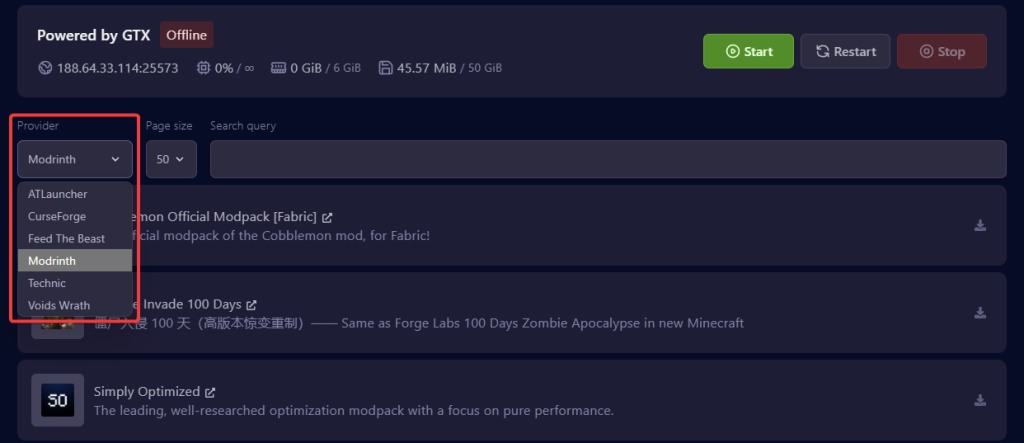
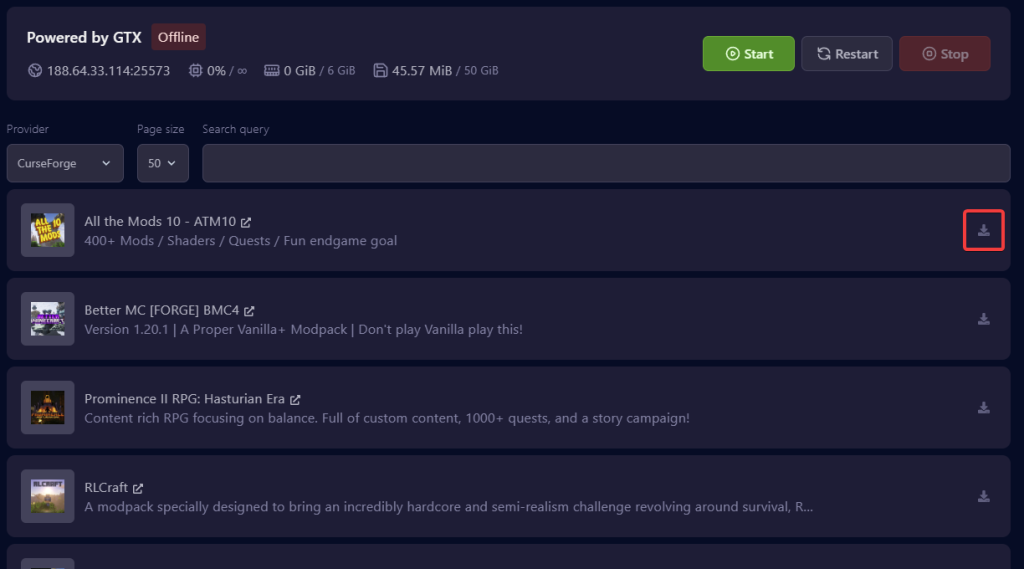
- Click download on the modpack you want to install. For this guide, we use CurseForge All the Mods 10. Use the Search query box to find a pack by name.
- An installation box will appear. Select the Modpack version you want to install and click to toggle the 'Delete files' option before clicking Install modpack.
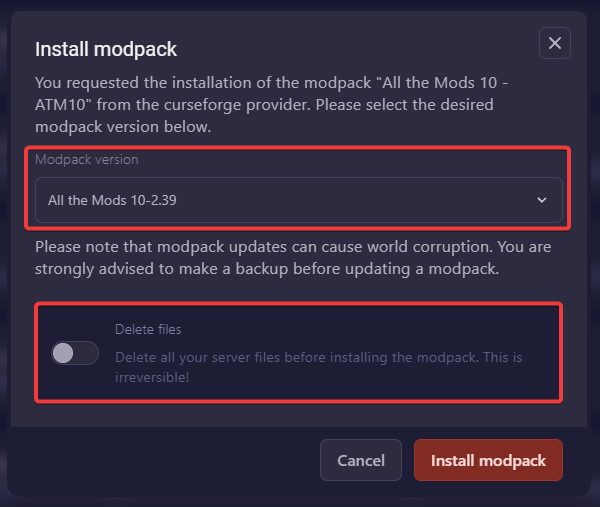
'Delete files' deletes all your server files before the modpack installs, and this can't be undone. That includes your world. Back up your server first if you want to keep anything.
- Once the Modpack has finished installing, it will return to the Modpacks page. Start your server.
Players and modpacks
Most modpacks add content mods, so each player needs the same modpack and version installed in their own launcher (for example the CurseForge app) to join.
Minecraft modpack questions
How do I add modpacks to Minecraft Java on my server?
Log in to the Minecraft game panel, click Manage Server and open the Modpacks page. Choose a provider, click download on the modpack, pick the version and click Install modpack. Back up your server first, because the Delete files option removes all existing server files.
My server won't start after installing a modpack. What now?
Most often the modpack needs a different Java version. Set the right one with the Setting the Java Version guide and start the server again. Check the Console page to see the error if it still fails.
Can I update my modpack to a newer version?
Yes, install the newer version from the Modpacks page. Modpack updates can cause world corruption, so make a backup before updating a modpack.
Want your own Minecraft server? See our Minecraft server hosting.
Related guides
If you have any issues, please open a support ticket. Our support team is available 24/7.


