
Back up your Minecraft server in a few clicks from the game panel: click Manage Server, open Backups, press Create backup and Start Backup. Your server can keep running while it saves.
This backs up your entire Minecraft server, Java or Bedrock, to our offsite storage. The time it takes to create a backup and upload to our offsite storage will depend on the size of your server. Your server does not need to be stopped while creating a backup.
How to back up your Minecraft server
- Log in to your game panel at https://gamepanel2.gtxgaming.co.uk/
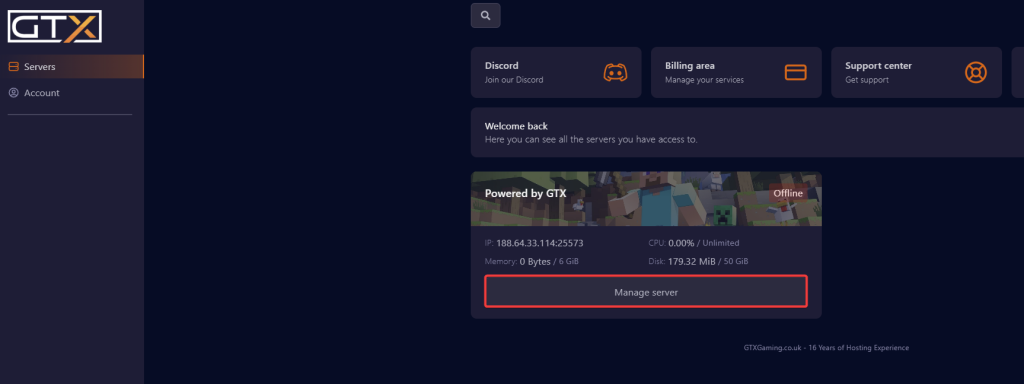
- Click Manage Server on the server you wish to backup.
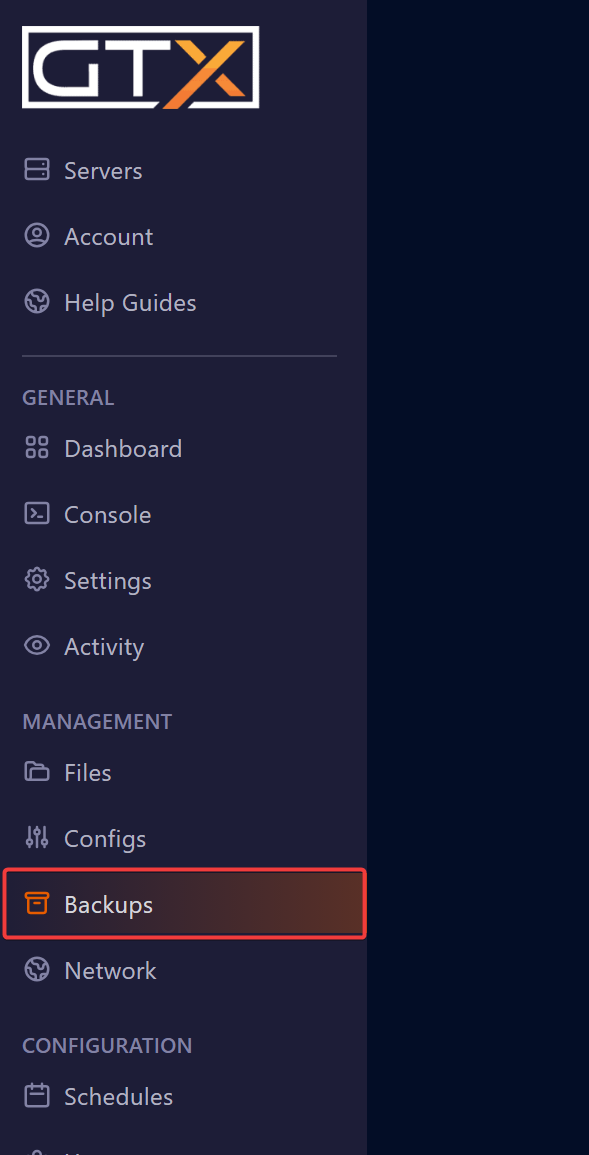
- Click Backups.
- Click the Create backup button.

- You can give the backup a custom name in Backup name or leave it blank and it will add the date and time of the backup automatically.
- Selecting Locked will prevent the backup from being overwritten by scheduled backups.
- Once you have set the options you want for the backup, click Start Backup.
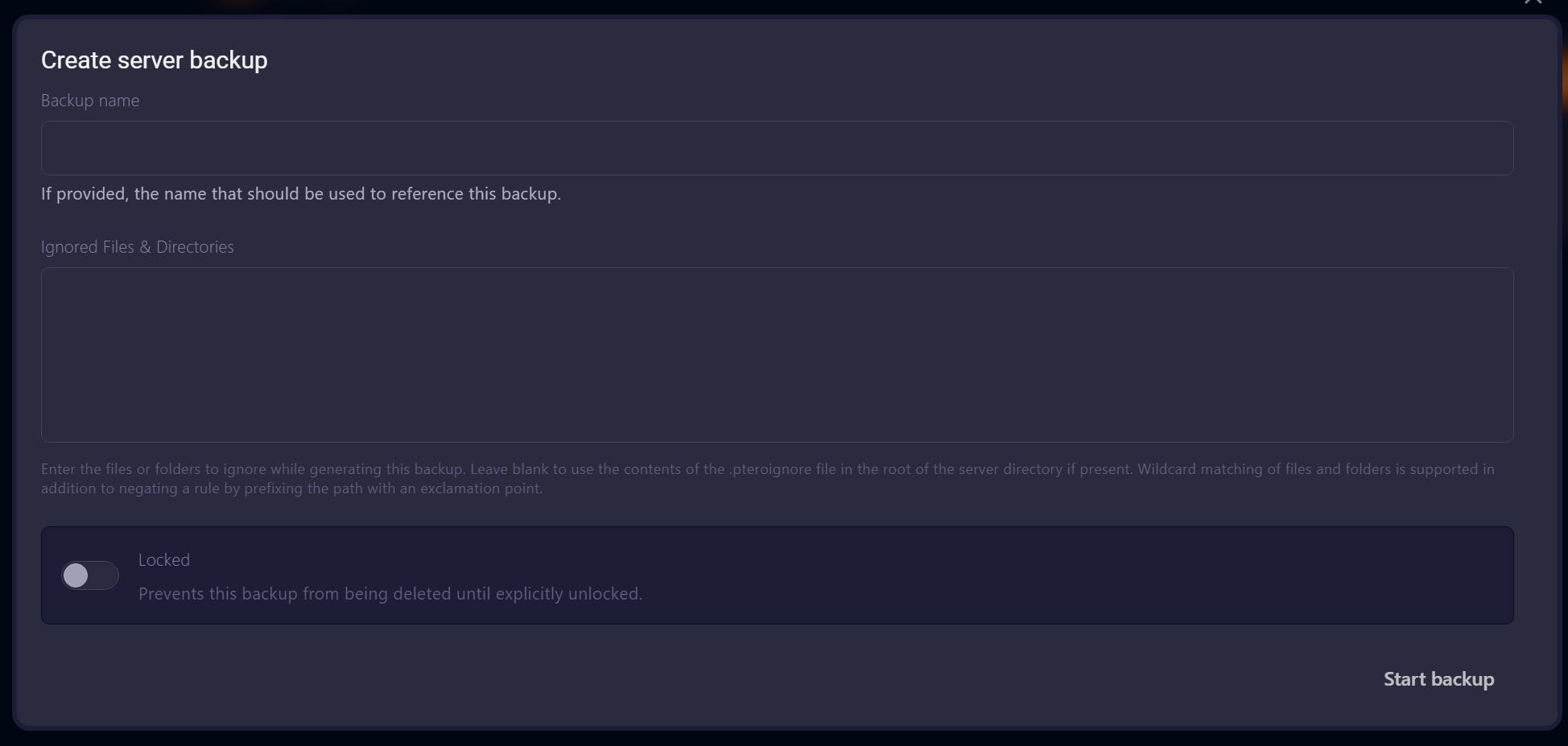
The window also has an Ignored Files & Directories box. Leave it empty to back up everything, which is what you want for a full backup of your server.
Your new backup appears in the list on the Backups page once it has finished.
Minecraft server backup questions
How do I back up a Minecraft server?
Log in to the game panel at gamepanel2.gtxgaming.co.uk, click Manage Server, open Backups and click Create backup. Give it a name or leave it blank, choose whether to lock it and click Start Backup.
Do I need to stop my server before backing it up?
No. Your server does not need to be stopped while creating a backup. The time it takes depends on the size of your server.
What does Locked do?
Selecting Locked will prevent the backup from being overwritten by scheduled backups, so lock any backup you want to keep, for example before a big update or a version change.
How do I restore my Minecraft server from a backup?
Follow Restoring a full server backup for your Minecraft server. Need only a few files or your world folder? See Backing up individual files and folders.
Want your own Minecraft server? See our Minecraft Java server hosting or Minecraft Bedrock server hosting.
Related guides
Need help with a backup? Our support team is available 24/7. Open a support ticket.


