
Roll back your Minecraft server by restoring a full server backup in the GTX game panel: open Manage Server, go to Backups, pick the backup and press Restore.
This works for any backup in your server's Backups list, whether you made it yourself or it came from a scheduled backup. No backup yet? See Backing up your entire Minecraft server.
How to roll back your Minecraft server from a backup
- Log in to your game panel at https://gamepanel2.gtxgaming.co.uk/
- Click Manage Server on the server you wish to restore.
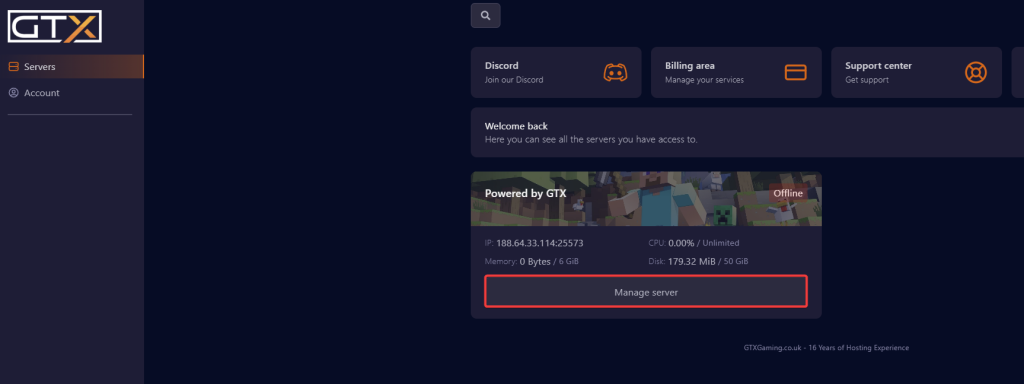
- Click Backups.
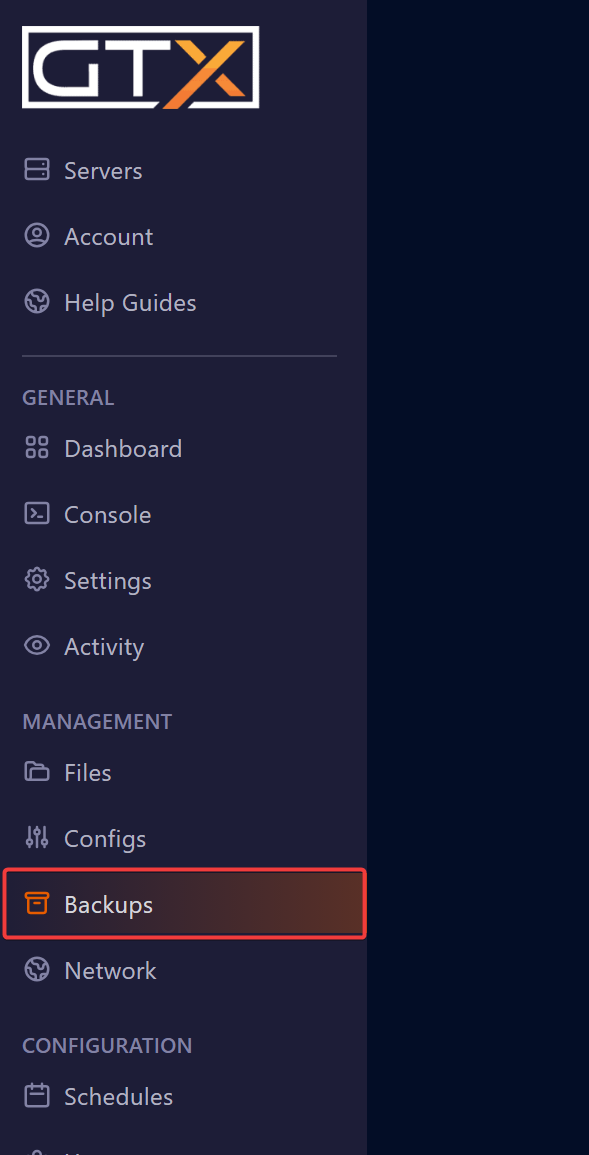
- Click the 3 dots (...) next to the backup you want to restore.
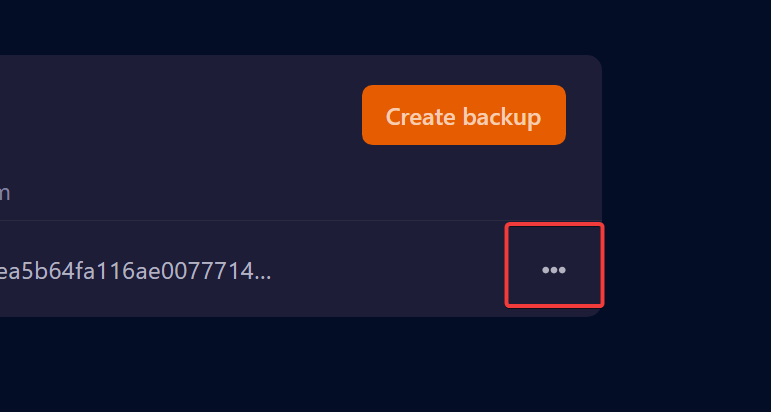
- Click Restore.
- Put a tick in the Delete all files before restoring backup box, then click Restore.
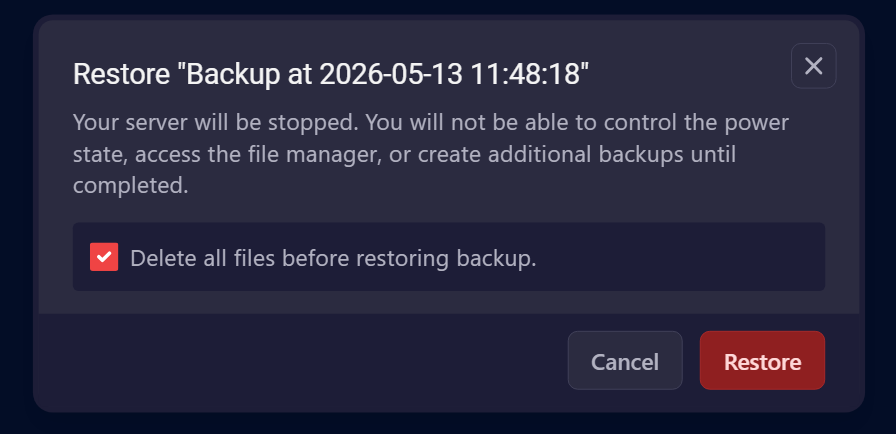
Your server is stopped while the backup is restored. Until it has finished you can't control the power state, use the file manager or create more backups.
Ticking Delete all files before restoring backup wipes the server before the backup goes back on, so you get a clean copy of the server as it was. Anything made after the backup is lost. Want to keep the current state too? Create a new backup first.
Minecraft backup restore questions
How do I roll back a Minecraft server?
Restore an older backup. Log in to the game panel at gamepanel2.gtxgaming.co.uk, click Manage Server and open Backups. Click the 3 dots (...) next to the backup you want, click Restore, tick Delete all files before restoring backup and click Restore.
Should I tick Delete all files before restoring backup?
Yes, for a full restore. It removes the current files first, so nothing newer is left mixed in with the backup and the server goes back exactly as it was.
Is my server offline during the restore?
Yes. The server is stopped while the backup is restored, and you can't start it, use the file manager or make new backups until the restore has finished.
Want your own Minecraft server? See our Minecraft server hosting.
Related guides
Need a hand? Open a support ticket. Our support team is available 24/7.


