
Change the Java version on your Minecraft server in the game panel: click Manage Server, open the Startup page and pick the Java version that matches your Minecraft version under Docker Image.
Each Minecraft version needs the right Java version to start. If your server won't start after changing the Minecraft version or installing a modpack, the Java version is the first thing to check.
How to change the Java version on your Minecraft server
- Log in to your game panel at https://gamepanel2.gtxgaming.co.uk/
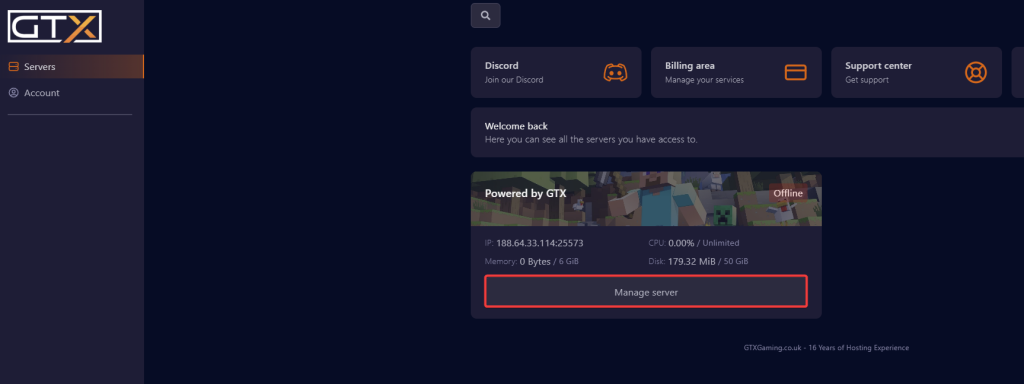
- Click Manage Server on the server you wish to change the Java version on.
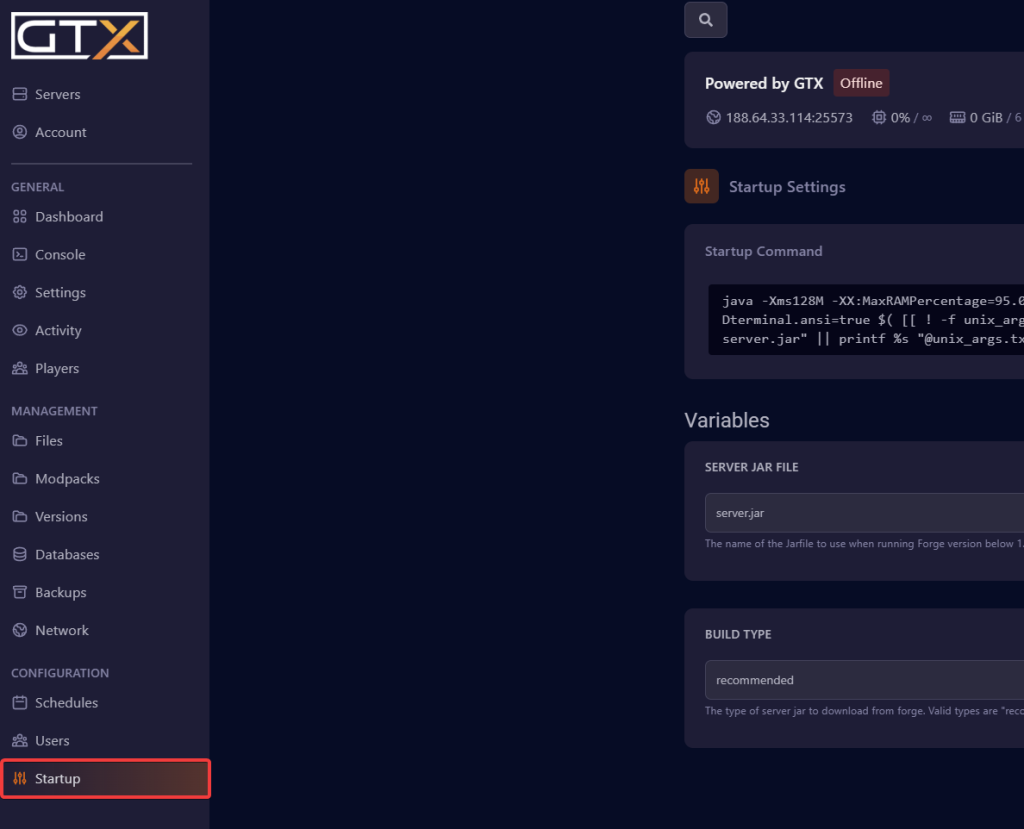
- Change to the Startup page.
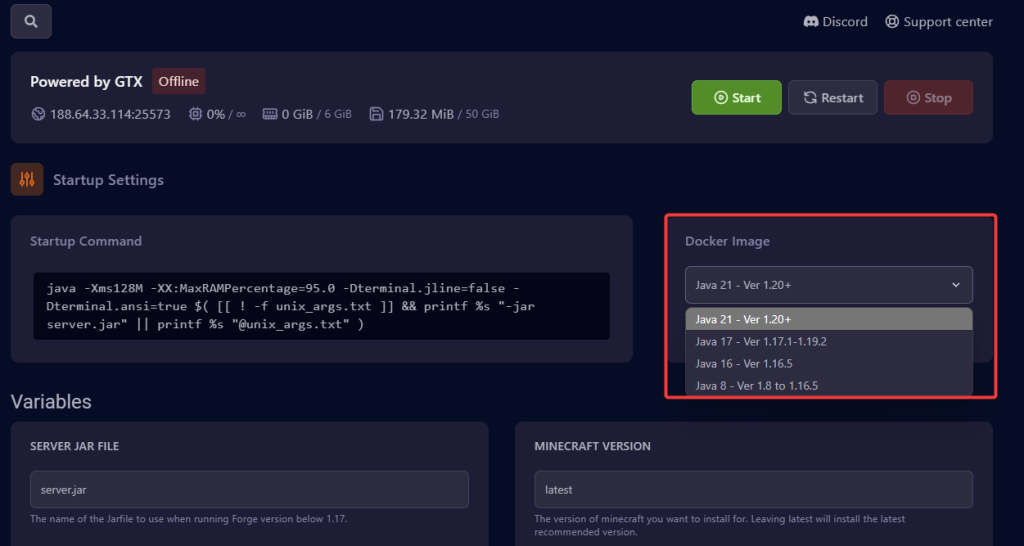
- Under Docker Image, select the Java version that corresponds to the Minecraft version you are using.
- The Java version should now be set. Start or restart your server so it runs with the new Java version.
Which Java version do I need?
The Docker Image list shows which Minecraft versions each Java version is for. In the screenshot above it offers:
- Java 21 - Ver 1.20+
- Java 17 - Ver 1.17.1-1.19.2
- Java 16 - Ver 1.16.5
- Java 8 - Ver 1.8 to 1.16.5
Pick the entry whose range covers your Minecraft version. Modpacks and modded servers (Forge, NeoForge, Fabric) follow the Minecraft version they are built for. The list in your panel may change over time, so always go by what it shows.
Minecraft Java version questions
How do I change the Java version for my Minecraft server?
Log in to the game panel at gamepanel2.gtxgaming.co.uk, click Manage Server, change to the Startup page and select the Java version that matches your Minecraft version under Docker Image. Then start or restart the server.
My server says "Error: Could not find or load main class @unix_args.txt". What now?
Newer Forge and NeoForge servers start Java with an argument file called unix_args.txt, and Java 8 can't read argument files (they need Java 9 or newer). Under Docker Image, select the Java version the list shows for your Minecraft version instead of Java 8, then start the server again.
My server won't start after changing the Minecraft version. Is it Java?
Very often, yes. Older versions of Minecraft need an older Java version and new versions need a newer one. Set the matching Java version on the Startup page and try again. If it still won't start, open a support ticket.
Want your own Minecraft server? See our Minecraft server hosting.
Related guides
If you have any issues, please open a support ticket. Our support team is available 24/7.


