
Set custom gather rates on your Rust server with the Gather Manager plugin: install uMod (Oxide), add the plugin, then set 2x, 5x or 10x rates from the Web Console.
In this guide we set up the server as a 5x server. The commands for 2x and 10x are in the list at the end.
Set up Gather Manager on your Rust server
- Stop the server and go to Mod Manager.
- Install uMod (Oxide) on the server.
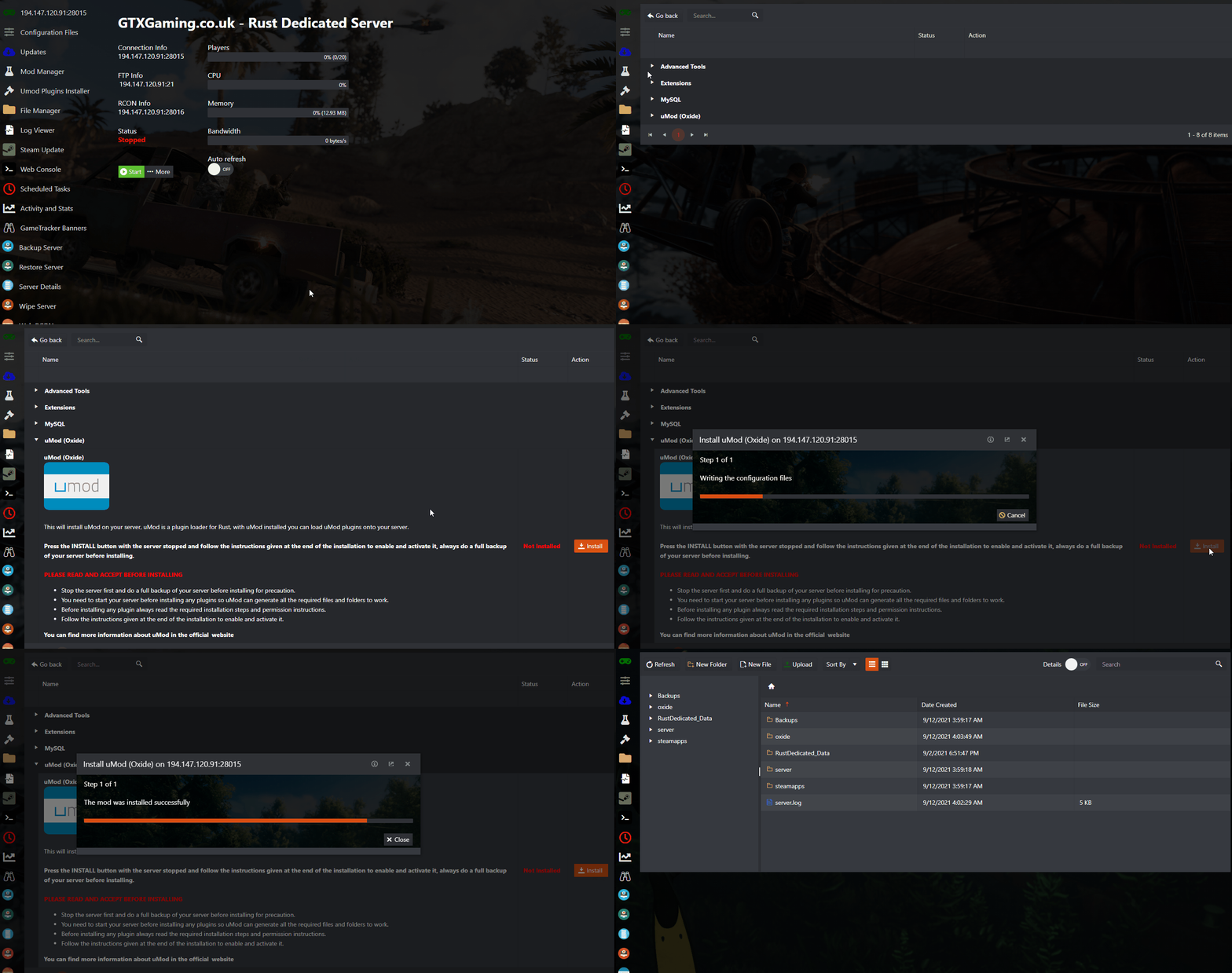
- Start the server and let it boot fully, so Oxide generates its files/folders. Then stop the server again.
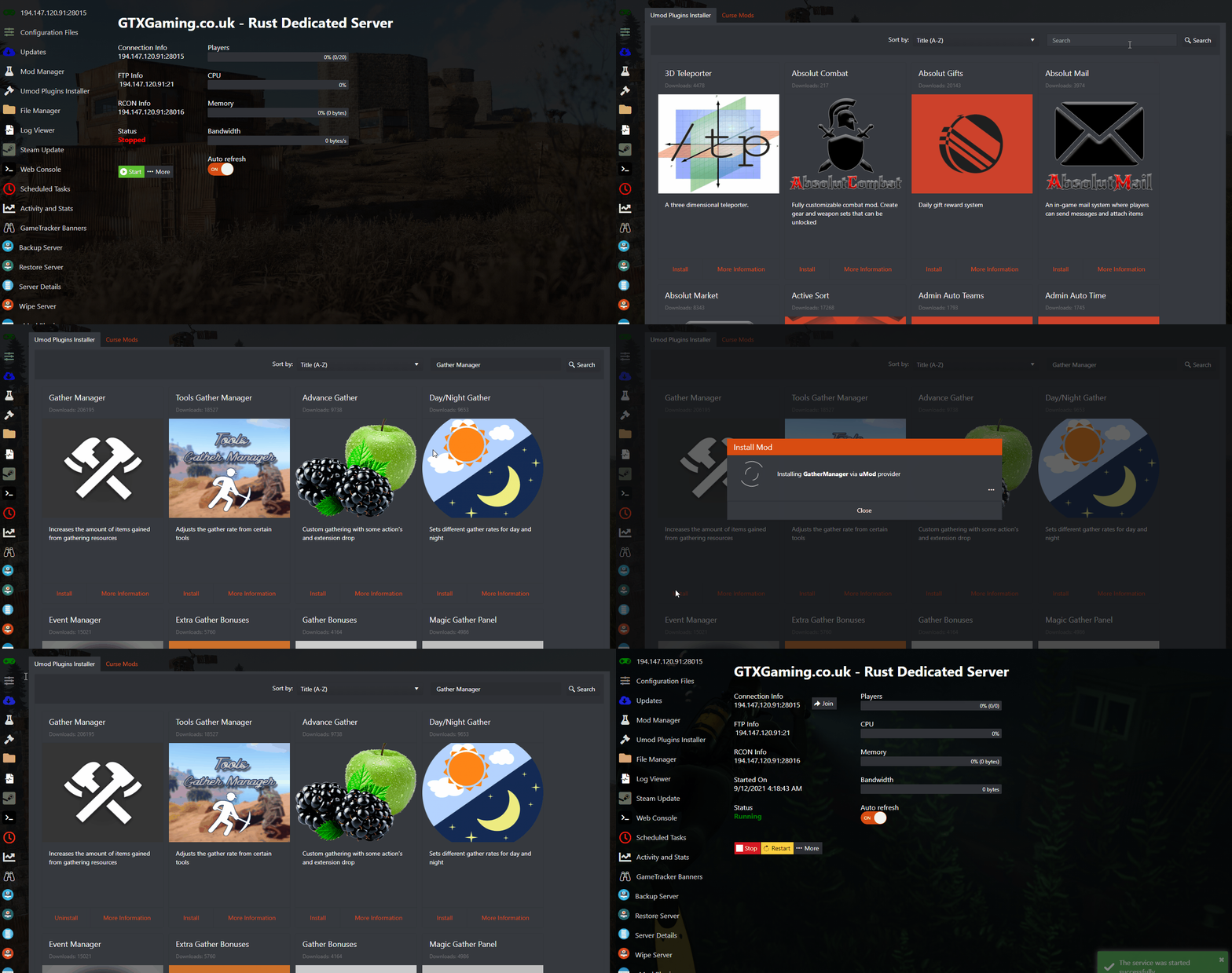
- Download the Gather Manager plugin from uMod.
- Upload the Gather Manager plugin to
/Oxide/Pluginsusing the File Manager. - Start the server using the Start button.
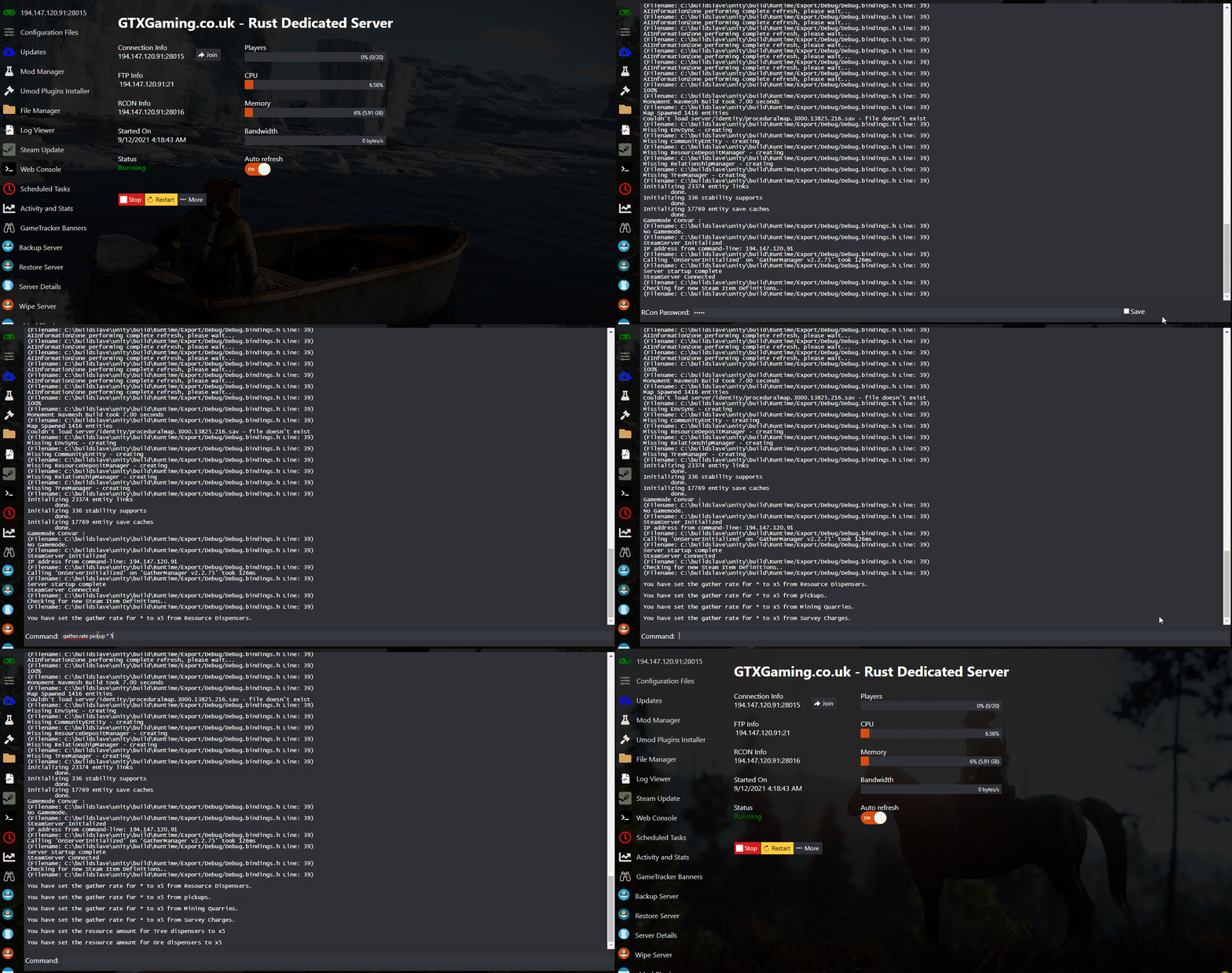
- Go to your Web Console, enter your RCON password and press Enter to log in. Then enter the commands for the rate you want (see below).
- Join the server and enjoy the new rates.
Gather rate commands for 2x, 5x and 10x
gather.rate multiplies what players get per hit, pickup, quarry and survey charge. dispenser.scale scales the total resources inside each tree, ore node and corpse. For a true 5x server, set both to the same number.
Rates for a 2x server
gather.rate dispenser * 2
gather.rate pickup * 2
gather.rate quarry * 2
gather.rate survey * 2
dispenser.scale tree 2
dispenser.scale ore 2
dispenser.scale corpse 2
Rates for a 5x server
gather.rate dispenser * 5
gather.rate pickup * 5
gather.rate quarry * 5
gather.rate survey * 5
dispenser.scale tree 5
dispenser.scale ore 5
dispenser.scale corpse 5
Rates for a 10x server
gather.rate dispenser * 10
gather.rate pickup * 10
gather.rate quarry * 10
gather.rate survey * 10
dispenser.scale tree 10
dispenser.scale ore 10
dispenser.scale corpse 10
Rust gather rate questions
How do I use Gather Manager on a Rust server?
Install uMod (Oxide) from the Mod Manager, start the server once, upload the Gather Manager plugin to /Oxide/Plugins, start the server and enter the gather.rate and dispenser.scale commands in the Web Console.
What is the difference between gather.rate and dispenser.scale?
gather.rate multiplies the amount you get per hit or pickup. dispenser.scale multiplies the total resources inside trees, ore nodes and corpses. Most 2x, 5x or 10x servers set both to the same multiplier.
Want your own Rust server? See Rust server hosting.
Related guides
Any questions or need some help? Our support team is available 24/7: open a support ticket.


