
Kick or ban a player on your Minecraft Java server from the GTX Gaming panel: open Manage Server, go to Players and press the kick or ban button next to their name. A kick doesn't ban them.
Open your server in the GTX Gaming panel
- Log in to your game panel at https://gamepanel2.gtxgaming.co.uk/
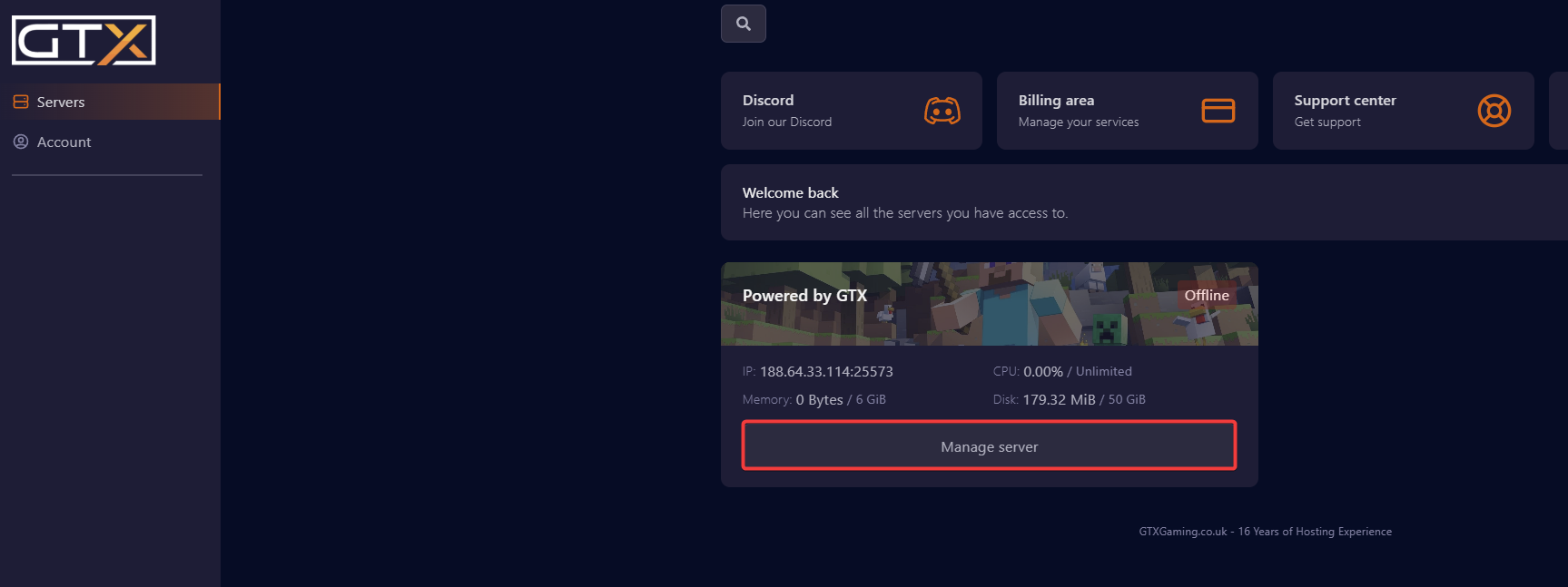
- Click Manage Server on the server you wish to manage.
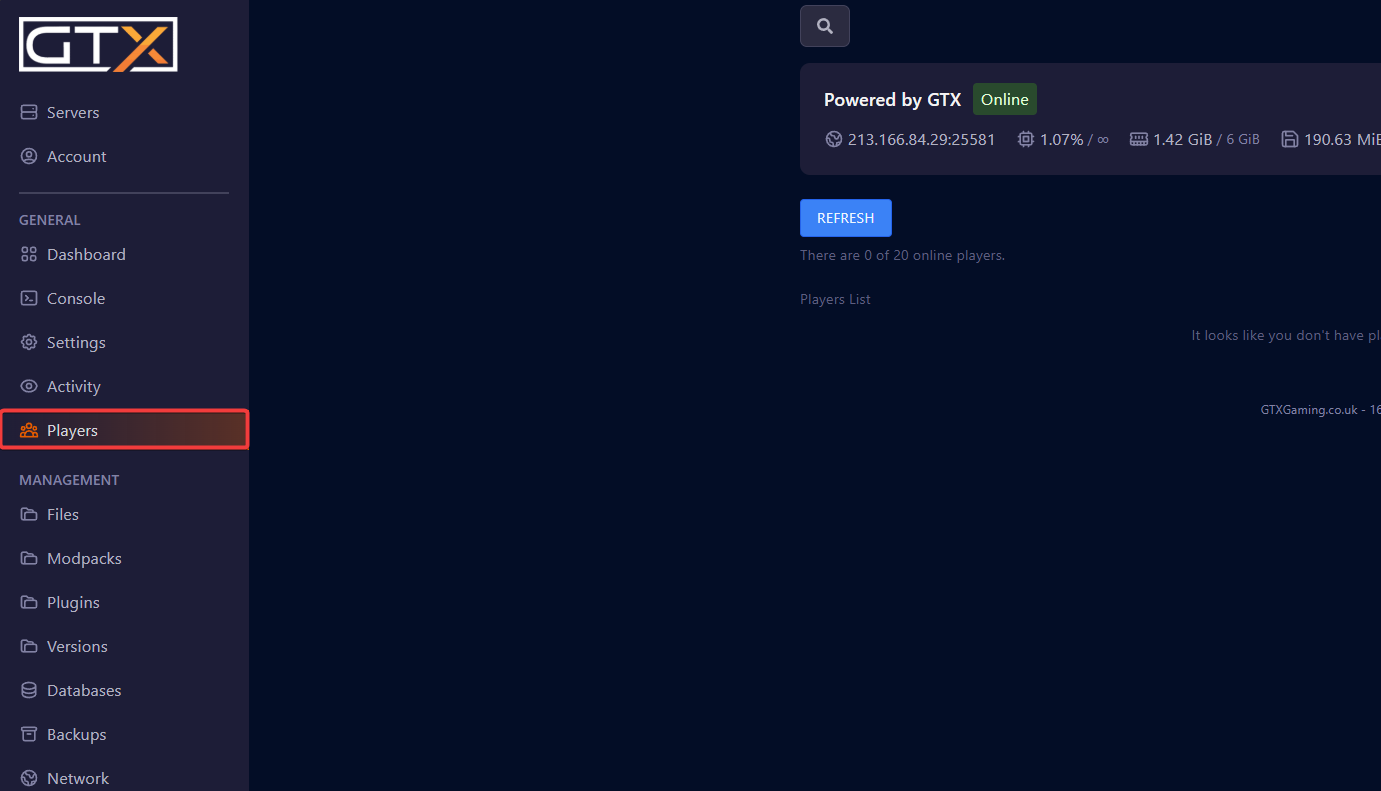
- Change to the Players page.
Kick or ban a player
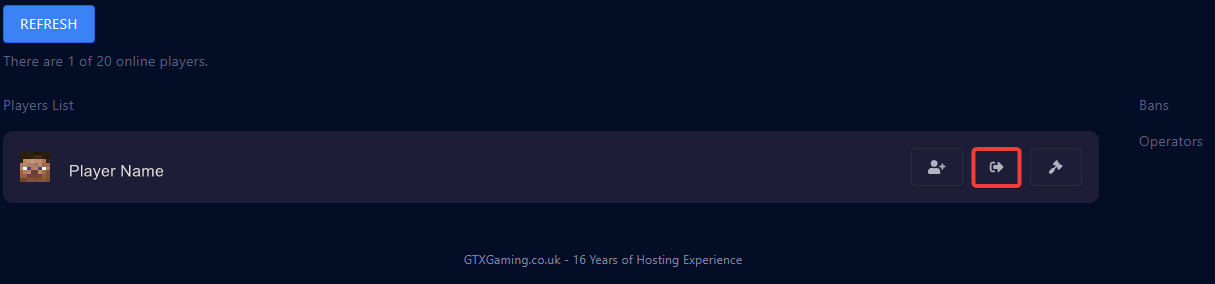
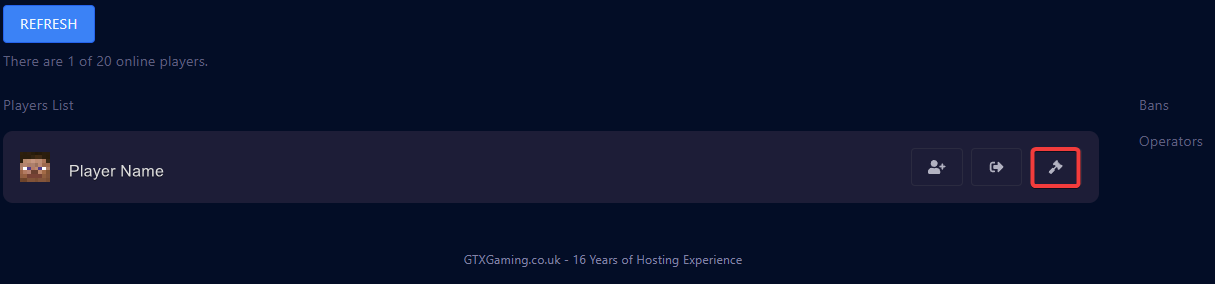
- Click the action button next to the player's name.
Kick: the middle button, with the arrow out of a door.
Ban: the right-hand button, with the hammer.
Does kicking someone ban them? No. A kick only disconnects the player, and they can join again straight away. Use the ban button to keep them off your server.
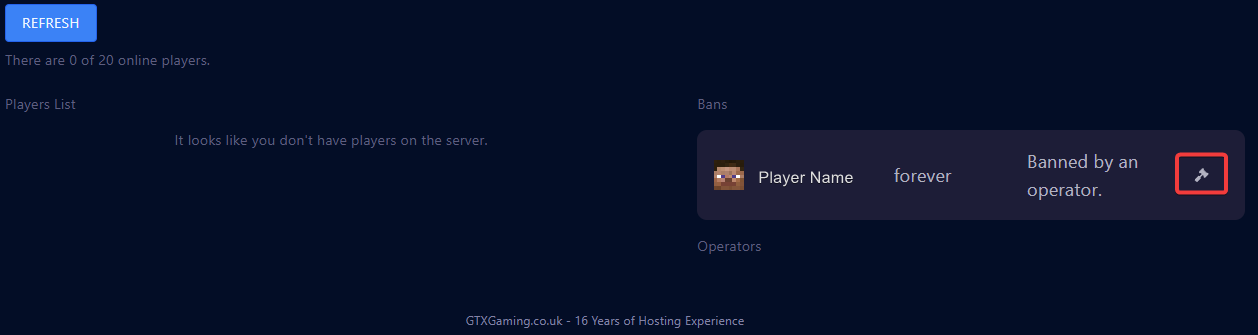
Remove a ban
- To remove a ban from a player, click the ban button next to their name in the Bans list.
Kick and ban questions
Does kicking someone in Minecraft ban them?
No. A kick removes the player from the server, but they can reconnect straight away. A ban stops them joining until you remove the ban on the Players page.
Where is the GTX Gaming panel login for my Minecraft server?
The Minecraft game panel is at https://gamepanel2.gtxgaming.co.uk/. Log in there, then click Manage Server on your server.
How do I unban a player?
Open the Players page of your server and click the ban button next to the player's name in the Bans list.
Want your own Minecraft server? See our Minecraft server hosting.
Related guides
If you have any issues, please open a support ticket.


