
How to back up a Minecraft server's individual files and folders: in the game panel click Manage Server, open Files, tick what you want to keep and click the archive button.
Handy before you edit a config, swap a plugin or try a new world: you save just the files you need, such as your world folder, in seconds.
Backing up individual files and folders does not upload the backup to our offsite storage and will count towards your server's storage allocation. For a full offsite backup, see Backing up your entire Minecraft server.
How to back up Minecraft server files and folders
- Log in to your game panel at https://gamepanel2.gtxgaming.co.uk/
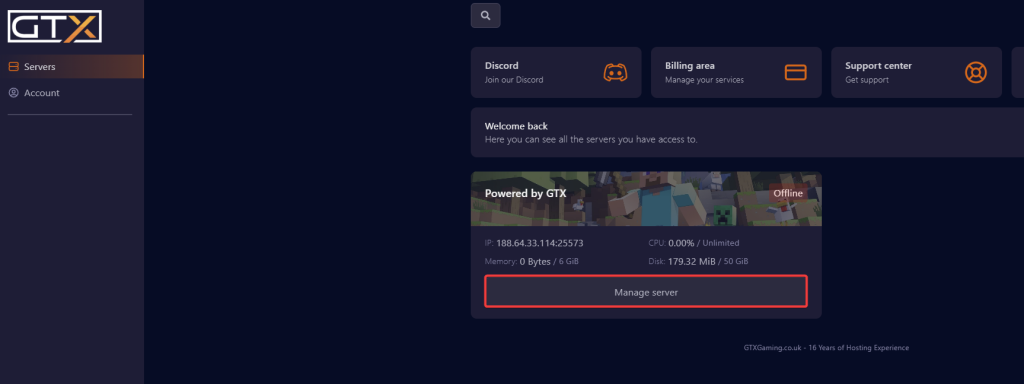
- Click Manage Server on the server you wish to backup.
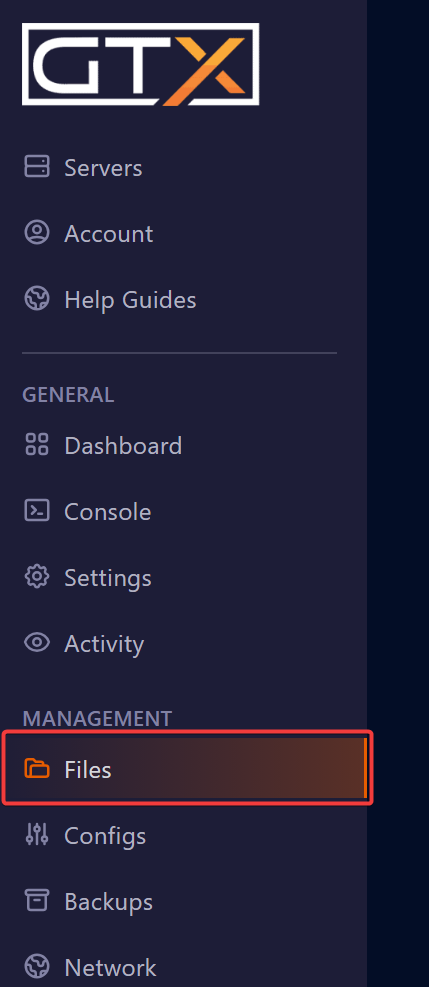
- Click Files.
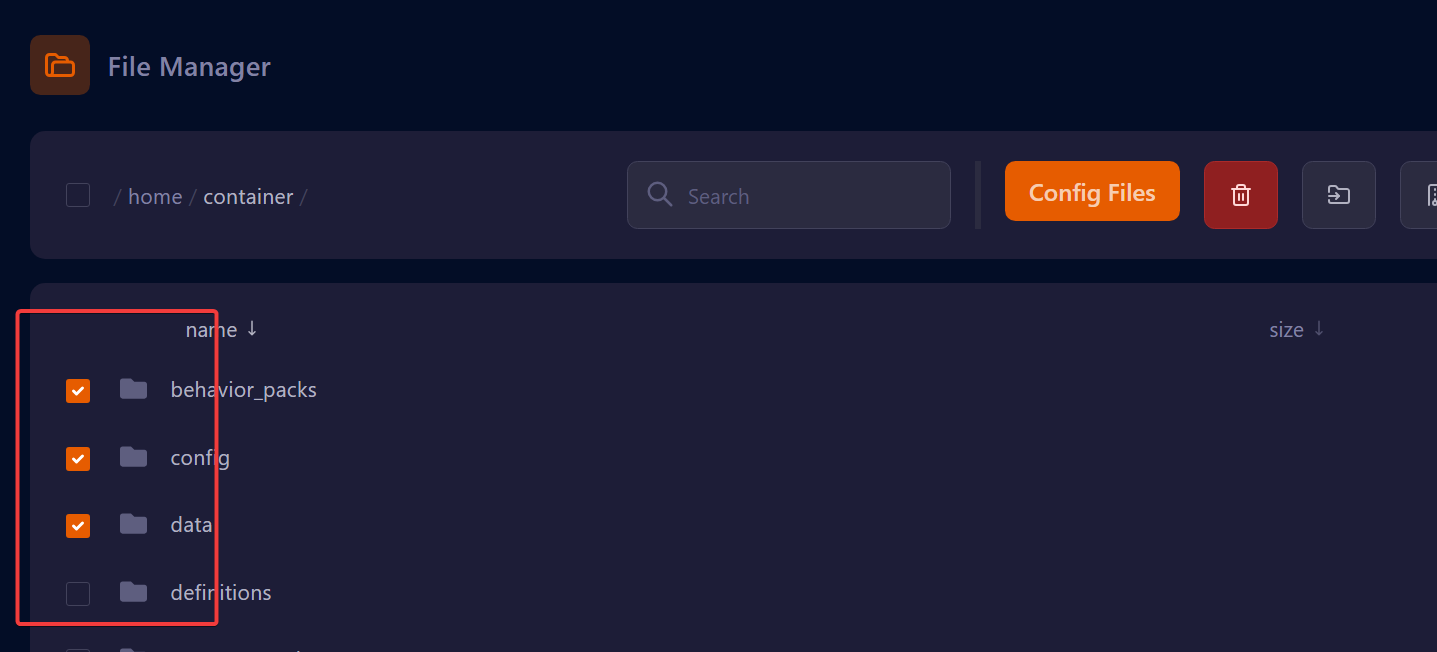
- Select the files and folders you want to backup by putting a tick in the box to the left of the file name.
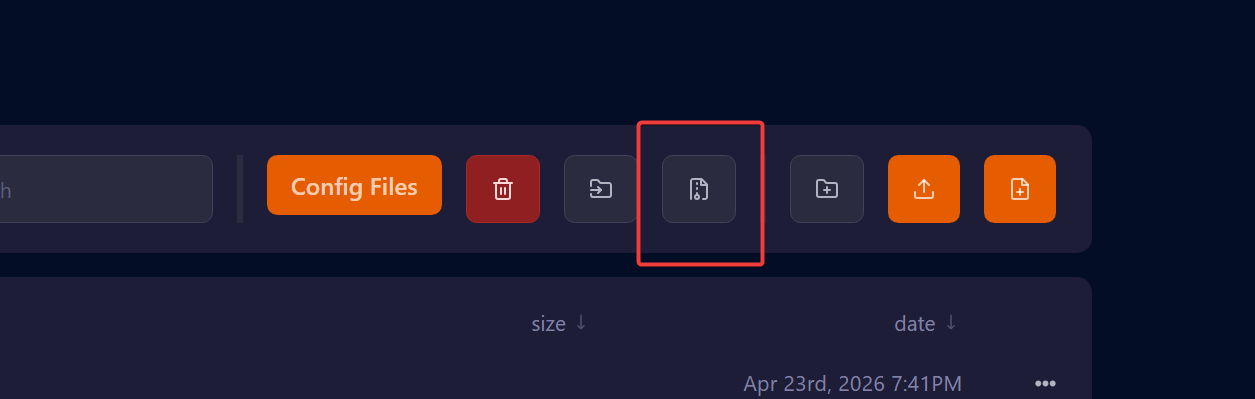
- Click the archive button. This will then create an archive file containing the files and folders you selected.
The archive stays on your server. Want a copy on your own computer too? Download it from the file manager or over SFTP: see Connecting to your Minecraft server's SFTP.
Minecraft file backup questions
How do I back up only some files on my Minecraft server?
Log in to the game panel at gamepanel2.gtxgaming.co.uk, click Manage Server and open Files. Tick the box to the left of each file and folder you want, then click the archive button. The panel creates an archive file containing your selection.
Is this archive stored offsite?
No. Backing up individual files and folders does not upload the backup to our offsite storage, and the archive counts towards your server's storage allocation. Use a full server backup from Backups for an offsite copy.
Where is the Minecraft backups folder?
An archive made in Files is created in the folder you are working in, on your server itself. Full server backups are listed on the Backups page of the game panel instead.
Want your own Minecraft server? See our Minecraft Java server hosting.
Related guides
Need help with a backup? Our support team is available 24/7. Open a support ticket.


