
Change your Minecraft GTX game panel password from the Client Area: open Services, click your Minecraft service, press Change Password, enter the new password twice and save.
Before changing your password, ensure you are trying to log in to the correct game panel.
- For Minecraft: https://gamepanel2.gtxgaming.co.uk/
- For all other games: https://gamepanel.gtxgaming.co.uk/
How to change your Minecraft game panel password
- Log in to your client area via https://www.gtxgaming.co.uk/clientarea/.
- Click Services.
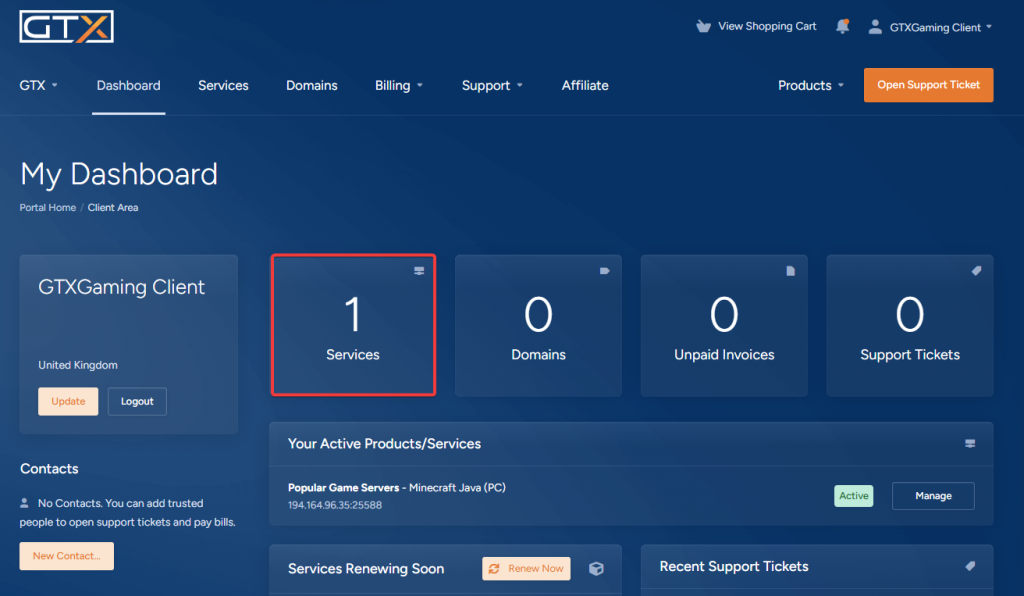
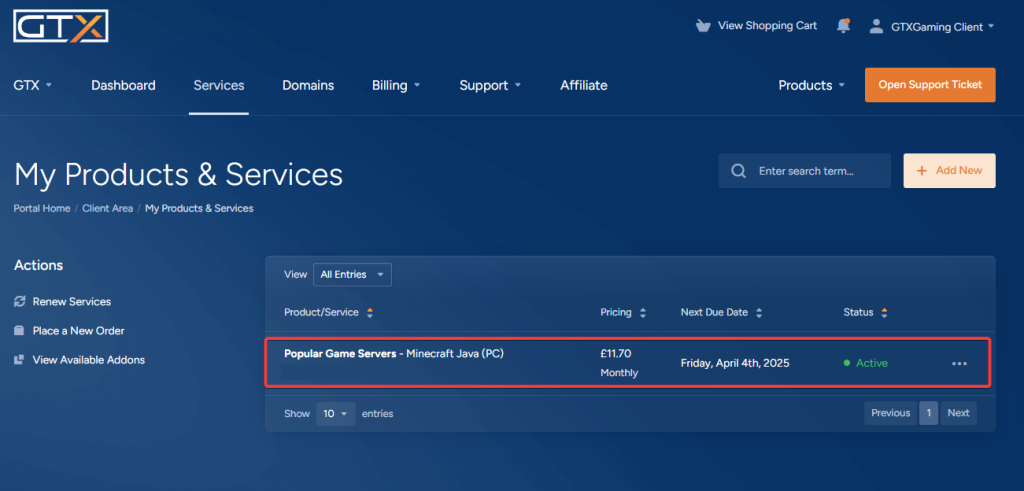
- Click your Minecraft service.
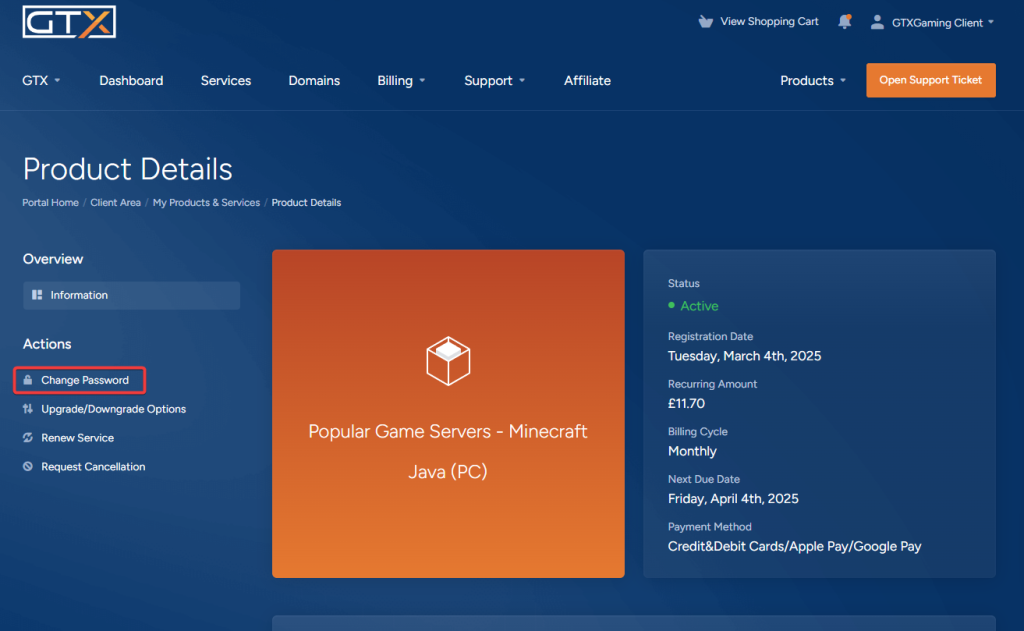
- Click Change Password.
- Enter a new password in both boxes and click Save Changes.
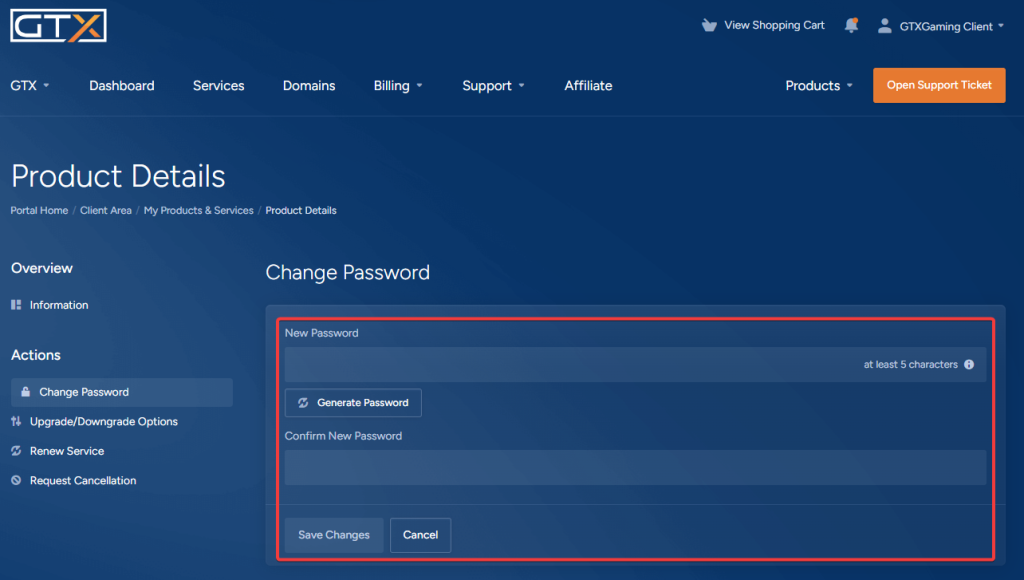
- Your game panel password should now be reset. Log in to the Minecraft game panel with your new password.
Your SFTP password is the same as your game panel password, so use the new password for SFTP too. See Connecting to your Minecraft server's SFTP.
GTX game panel password questions
How do I change my GTX game panel password for Minecraft?
Log in to the GTX Client Area, click Services, click your Minecraft service and press Change Password. Enter a new password in both boxes and click Save Changes. Then log in to the Minecraft game panel at gamepanel2.gtxgaming.co.uk with the new password.
Which game panel do I log in to?
Minecraft servers use https://gamepanel2.gtxgaming.co.uk/. All other games use https://gamepanel.gtxgaming.co.uk/. If your login fails, check you are on the right panel before you change your password.
I forgot my game panel password. What do I do?
You don't need the old password. Set a new one from the Client Area with Change Password on your Minecraft service, as shown above. If it still doesn't work, open a support ticket without sharing any password.
Want your own Minecraft server? See our Minecraft Java server hosting or Minecraft Bedrock server hosting.
Related guides
If you have any issues, please open a support ticket. Our support team is available 24/7.


