
Your V Rising server backups run automatically every day and week. With the Backup Manager you can also back up, restore or wipe your world and download the backups yourself.
With our Backup Manager system, you can create server backups, restore your server from a backup, wipe your server world, and download the backups.
Automatic V Rising server backups
The game panel makes automatic daily and weekly backups. All backups are stored locally on your server and are also sent to our offsite storage, where they are kept for up to 6 months, even if you cancel your server.
Back up, restore, wipe or download with the Backup Manager
- Stop your server: press STOP in the game panel.
- Go to the Backup Manager button. From there you can back up your server, restore it, wipe it or download the backups.
- Choose the task under Select Task: Backup World, Restore World, Wipe World or Download Backups.
- Tick the Confirmation box and press Execute.
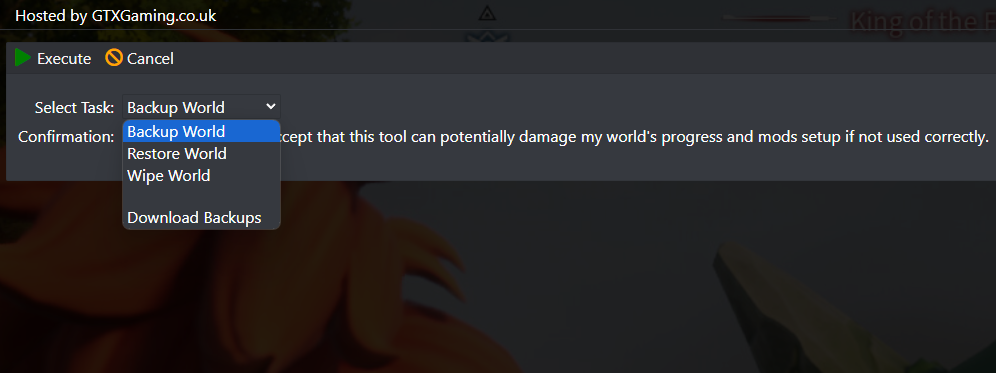
Restore World and Wipe World replace your current world. Make a fresh backup with Backup World first if you might want the current world back.
V Rising backup questions
How do I back up my V Rising server?
Stop your server, open the Backup Manager button in the game panel, choose Backup World, tick the confirmation box and press Execute. The panel also makes automatic daily and weekly backups for you.
How long are my V Rising server backups kept?
Backups are stored locally on your server and also sent to our offsite storage, where they are kept for up to 6 months, even if you cancel your server.
Can I download my V Rising world to my PC?
Yes. Stop the server, open Backup Manager, choose Download Backups, tick the confirmation box and press Execute.
Want your own V Rising server? See V Rising server hosting.
Related guides
If you have any questions or you need our help, don't hesitate to contact us. Our support team is available 24/7: open a support ticket.


