
This guide will help you with how to add workshop mods to your Stormworks: Build and Rescue server.
For this guide, we going to use the Aircraft propeller distance sound overhaul mod from the workshop as an example: https://steamcommunity.com/sharedfiles/filedetails/?id=3370233613 with ModID: 3370233613
- Stop your server
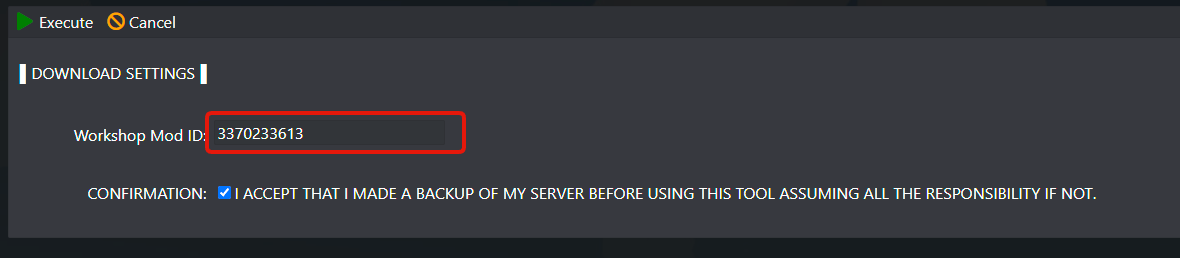
- Go to Workshop MOD Downloader button
- Type the ModID of the mod you want to download, in this example we using the Aircraft propeller distance sound overhaul ModID
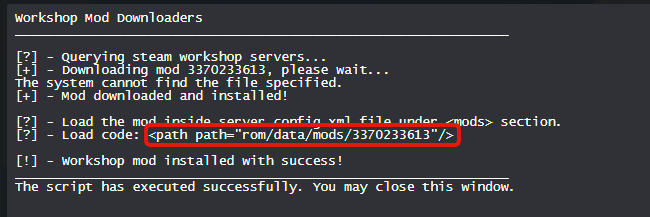
- After the mod downloads, copy the loading code as image below shows
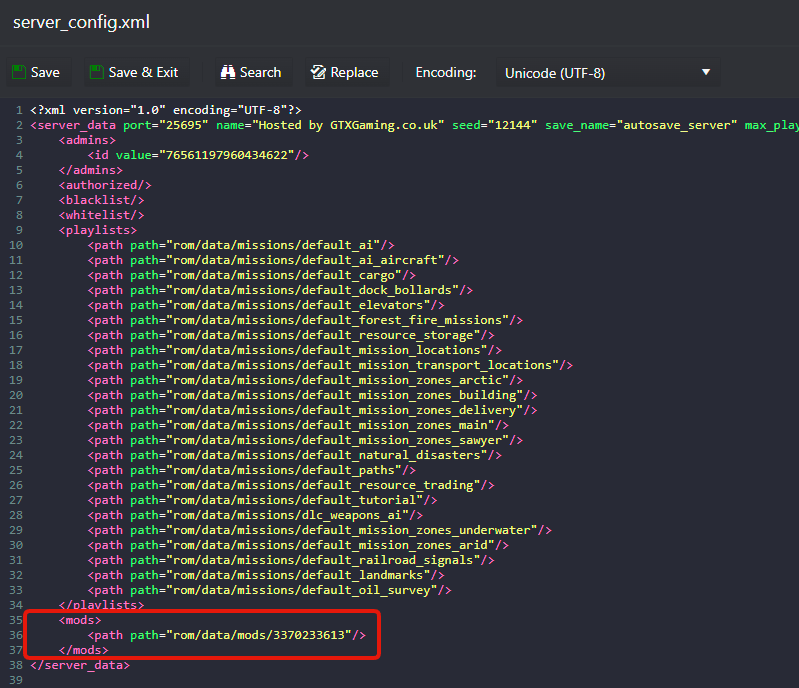
- Go to the Configuration Files button, edit the server_config.xml file and place the load code inside the <mods> section, in the order you want the missions to be loaded, in this case, will load it in the first place
- Start your server
If you have any questions or you need our help don't hesitate to contact our support system.