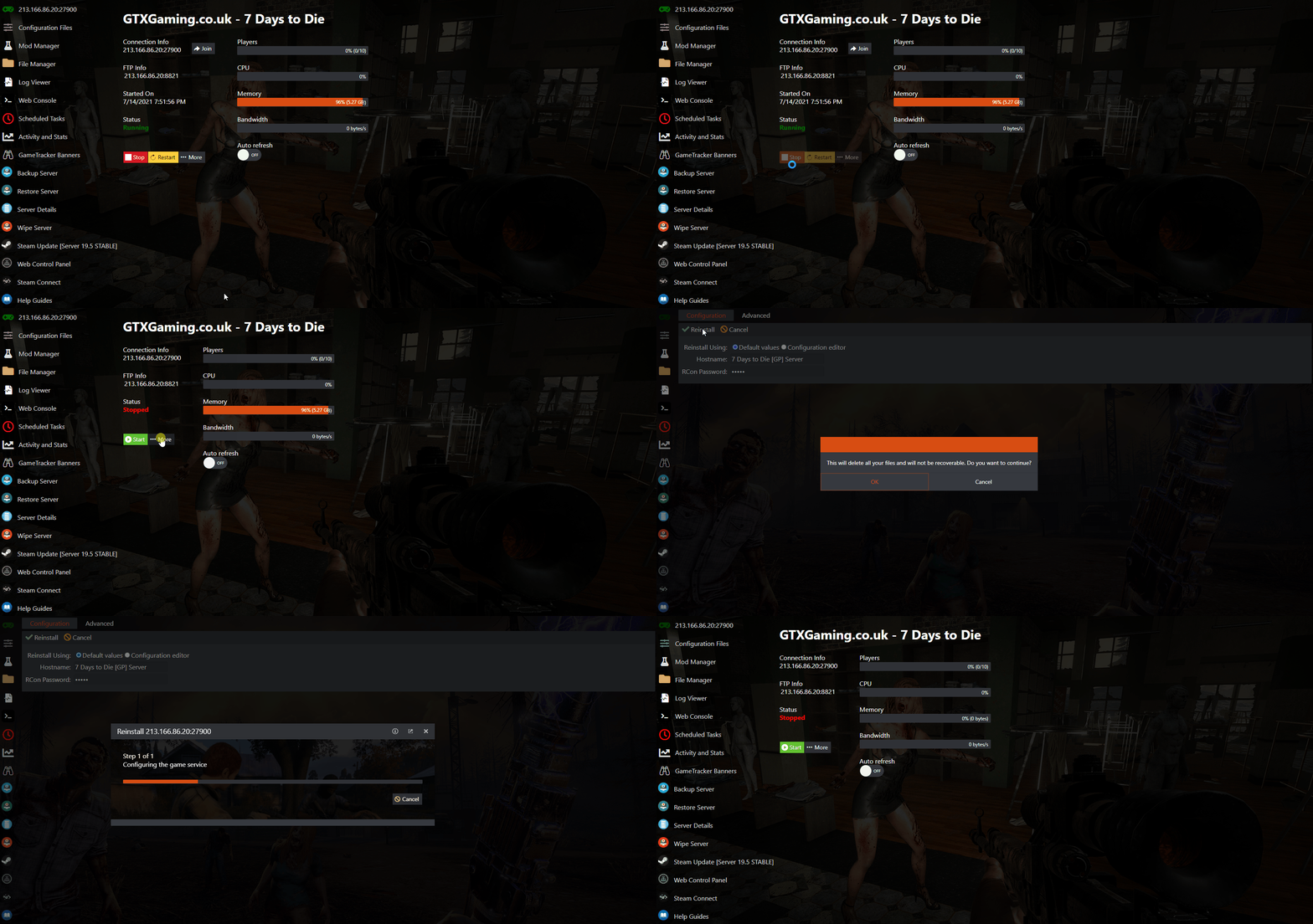
Reinstall your ARK Survival Evolved server back to default from the game panel: stop it, press MORE, click [ Reinstall ] and wait for it to finish. All server files are deleted; backups and MySQL databases stay.
A reinstall gives your ARK Survival Evolved server a clean, default install. Use it when files are broken or you want a completely fresh start.
Notice: performing this action will delete all your server files. Server backups or MySQL databases will remain intact and will not be deleted/wiped with a server reinstall. Download a backup first if there's anything you might want back: see how to download your ARK server backups.
How to reinstall your ARK server back to default
- Log in to the game panel and stop the server using the STOP button.
- Once you've stopped the server, press the MORE button (shown as ···More in older panels).
- A new page loads: click the [ Reinstall ] link.
- Once the reinstall process starts, don't close the window: wait for it to finish.
- Once it's reinstalled, you can start the server again.
![Reinstalling an ARK server back to default: More button, then the [ Reinstall ] link in the game panel](https://www.gtxgaming.co.uk/clientarea/images/kb/43_ReinstallServer.gif)
ARK server reinstall questions
How do I reinstall my ARK server back to default?
Stop the server in the game panel, press MORE and click the [ Reinstall ] link on the page that loads. Keep the window open until the reinstall finishes, then start the server again.
Does a reinstall delete my backups?
No. A reinstall deletes all your server files, but server backups and MySQL databases remain intact and are not deleted or wiped.
Can I get my old ARK world back after a reinstall?
Yes, from a backup. Stop the server and use Restore Server to load the dated backup you want.
Want your own ARK server? See ARK: Survival Evolved server hosting.
Related guides
If you have any questions or you need some help, please don't hesitate to contact our support team, available 24/7: Open a support ticket.