



 DayZ
 Palworld


 Enshrouded














Black Myth: Wukong Server Hosting USA
Rent Your WukongMP Multiplayer Server
About Black Myth: Wukong server hosting
Premium Black Myth: Wukong server hosting from GTX Gaming's US and worldwide datacenters. Rent your own Black Myth: Wukong multiplayer server for WukongMP, the free community mod, with instant setup: co-op through the story or PvP arenas for 4 to 64 players, your server name, password and public server list in config.json, the WukongMP admin panel, up to 5GB of RAM and 100GB of NVMe storage included, daily automatic backups, enterprise DDoS protection and 24/7 support. Rent your WukongMP server from $6.12/mo.
Black Myth: Wukong Server Hosting: Plans & Pricing
- config.json in the File Manager
- Co-op or PvP, your choice
- Public server list in the launcher
- WukongMP admin panel
- Up to 5GB RAM included
- RAM upgradable to 32GB
- Daily automatic backups
- config.json in the File Manager
- Co-op or PvP, your choice
- Public server list in the launcher
- WukongMP admin panel
- Up to 5GB RAM included
- RAM upgradable to 32GB
- Daily automatic backups
- config.json in the File Manager
- Co-op or PvP, your choice
- Public server list in the launcher
- WukongMP admin panel
- Up to 5GB RAM included
- RAM upgradable to 32GB
- Daily automatic backups
- 24/7 support
- DDoS protection
- Instant setup
One WukongMP server, priced by slots, from 4 players for a co-op group of friends up to 64, the most WukongMP allows, for a public PvP community. Every plan includes up to 5GB of RAM, up to 100GB of NVMe storage and DDoS protection, and you can change your slots or add memory at any time without losing your world.
Black Myth: Wukong Server Hosting: How WukongMP Works
Steam lists Black Myth: Wukong as single-player. WukongMP, a free community mod by ReadyM, adds co-op and PvP through the ReadyM Launcher, and your server is where your group meets.
- 🐒A free community modWukongMP is built and maintained by the ReadyM team and costs nothing to play. ReadyM states it is not an official Black Myth: Wukong service and is not affiliated with Game Science.
- 🎮What every player needsTheir own copy of Black Myth: Wukong on PC, the free ReadyM Launcher and a free ReadyM account. The base game stays untouched.
- 🔗Joining your serverPlayers connect to your server's address and port in the ReadyM Launcher, or pick it from the launcher's server list if you publish it.
- ⚔️Co-op story or PvP arenasCo-op through the story areas is the default and PvP arenas the alternative; a server runs one mode at a time.
- 🧩Mods sync by themselvesWhen a player joins, the ReadyM Launcher downloads and installs the server's mods before they load in.
- 🖥️PC onlyWukongMP runs through the ReadyM Launcher on Windows PC; ReadyM lists no console support.

Black Myth: Wukong Server Hosting Control Panel
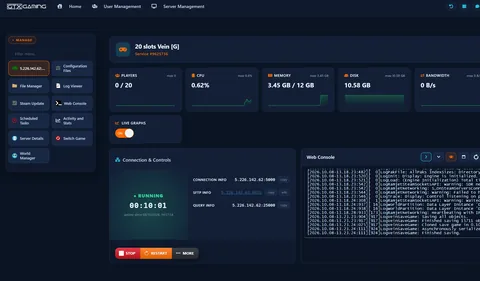
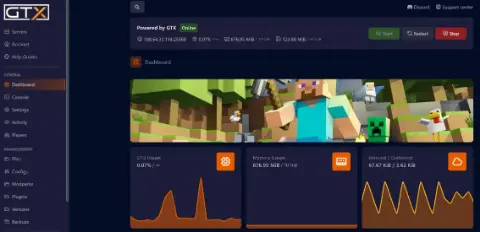
Our custom panel puts your WukongMP server's controls, files, console, schedules and backups in a browser, so your group spends its evenings on boss fights instead of a command line.
- 🎛️One-click controlsStart, stop and restart your server with a single button, and see its status, address and SFTP details at a glance.
- 📁File Manager & SFTPEdit config.json, switch the co-op and PvP mod folders and upload WukongMP mods in the browser, or use SFTP with your own client.
- 🖥️Web ConsoleWatch the server's console output live as it starts up and as players join, without a remote desktop.
- ⏰Scheduled TasksRestarts and backups on a timer, so the server stays fresh without anyone logging in.
- 💾Daily backupsAutomatic daily backups of your server, restorable in a couple of clicks.
- 📊Live graphsPlayers, CPU, memory, disk and bandwidth on live graphs, so you can see when it is time to add slots or memory.
Black Myth: Wukong Server Hosting: Settings, Modes & Mods
A WukongMP server is set up in one file, config.json: name, password, player count and the public server list. Co-op or PvP is decided by which mod folder the server loads, and mods are added one folder at a time, all from the File Manager in your panel.
WukongMP keeps its settings in config.json, edited in the File Manager. Server:Password locks your server: every player, admins included, types it in the ReadyM Launcher to join. ServerList:Name (up to 50 characters) and Description (up to 300) are what players see, and MaxPlayers is the player limit you set to your slots: WukongMP allows 1 to 64.
Your ServerSet ServerList:Enabled to true and your server appears in the ReadyM Launcher's server list, with your Gamemode label (up to 15 characters) and a two-letter Country code shown as a flag; a password-protected server shows a lock. A license key from ReadyM's Player Portal adds the Verified badge.
Your ListingCo-op through the story areas runs out of the box. For PvP arenas, move the WukongMp.PvP mod from optional_mods into mods and WukongMp.Coop out of it: ReadyM's docs say the modes are mutually exclusive. Prefer not to touch folders? Our 24/7 team switches it for you.
Your ModeOn first start the server prints a one-time setup PIN in its console output. Open the WukongMP admin panel in your browser, enter the PIN and sign in with your ReadyM account; from then on you manage admins there and watch status, logs, players and mods.
Your PowersEach mod is a folder in mods with a manifest.json, uploaded with the File Manager or SFTP, and the ReadyM Launcher installs its client part for every player who joins. ReadyM's C# SDK lets the community build new game modes; the early SDK and server have no sandboxing for mods, so ReadyM advises trusted mods only.
Your Extrasworld.sav holds the shared world and each player keeps their own save with their gear, level and skills. Daily automatic backups cover the server, and when ReadyM releases a new WukongMP version (0.4.1 today) our 24/7 team can update your server, keeping your settings, saves and mods.
Hands-FreeMove it over: stop the server at home, upload your config.json and your saves and mods folders with the File Manager or SFTP, and start your new server. Your group's shared world and player saves come with it, and our 24/7 team can help with the move or handle it for you.
How Many Slots Does My Black Myth: Wukong Server Need?
Pick a slot for every player who will be online at the same time. WukongMP accepts 1 to 64 players on one server, enforced when players connect, and every plan includes up to 5GB of RAM.
| Slots | Best for | From |
|---|---|---|
| 4 slots | A co-op group of friends fighting through the story together | $6.12/mo |
| 12 slotsRecommended | A regular group with room for guests | $15.36/mo |
| 16 slots | A community co-op server with players coming and going | $18.05/mo |
| 20 slots | PvP nights with several crews in the arenas | $20.79/mo |
| 32 slots | Busy public servers for co-op and PvP communities | $28.80/mo |
| 64 slots | The biggest WukongMP server: 64 players, the mod's maximum | $45.43/mo |
Every tier is in the full plan list above. ReadyM publishes no memory figure for the WukongMP server, so start with the up to 5GB of RAM included on every plan: the control panel shows live memory use, and you can add memory from 8GB to 32GB at any time from your client area.
Black Myth: Wukong Server Hosting Locations: Low Ping USA & Worldwide
Black Myth: Wukong servers deploy in 21 locations: New York, Ashburn, Chicago, Dallas, Miami, Los Angeles and Portland in the USA; Quebec in Canada; London, Paris, Frankfurt, Amsterdam, Warsaw, Stockholm, Helsinki and Madrid in Europe; Sydney, Tokyo, Singapore and Mumbai in Asia-Pacific; plus Moscow. Run a quick test to see your latency to our network.
What's Included With Your Black Myth: Wukong Server Hosting?
Every server ships fully loaded. Upgrade any part of it whenever you like.
| Resource | Included | Optional upgrade |
|---|---|---|
| Player slots | 4 to 64 slots, chosen at checkout | Change your slot count any time |
| Memory | Up to 5GB of RAM on every server | Tiers from 8GB to 32GB, changed any time |
| Storage | Up to 100GB NVMe free | Tiers up to 200GB, plus extreme 14,000MB/s NVMe |
| Multiplayer | The WukongMP server from ReadyM, co-op or PvP | Updated when ReadyM releases a new version |
| CPU priority | Normal priority on high-frequency cores | High and Realtime tiers |
| CPU clock | Standard high-frequency clocks | +5%, +10% and +20% clock boost tiers |
| Protection | Enterprise DDoS mitigation | Included on every server |
| Backups | Daily automatic backups | Scheduled Tasks for your own |
Slots, RAM, storage, CPU priority and clock boosts are all picked at checkout and can be changed later without losing your world. Every player needs their own copy of Black Myth: Wukong on PC and the free ReadyM Launcher to join; the WukongMP server itself is included and installed for you.
Black Myth: Wukong Server Hosting Features: Everything Built In
Every server ships with the full GTX feature set, no hidden add-ons.
Black Myth: Wukong Server Hosting: the essentials
GTX Gaming Server Hosting Reviews
Verified Trustpilot reviews from GTX Gaming customers.
GTX gaming absolutely excels at customer service
GTX gaming excels at customer service. Every ticket is answered within minutes and issues resolved promptly and professionally. Nothing but wonderful things to say about the service GTX provides. I’ve had the pleasure of interacting with several of their support agents: Tom H, Rui P, Jamie R, John K, Robert P, James K, and man they’re all excellent! Kudos to the entire team and thank you for the service you provide to the gaming community. They’ve enabled our entire crew to spend many hours having a total blast.
TOP!!!
Speed, competence, and understanding. It's the first time I've found such a good support team from a server hosting provider. Top service, top support!
Thank you Mr. Gibbs
Absolutely loved the friendliness and the quick response time. Even though I felt a little dumb for not realizing the problem myself, it felt twice as good to know that the fix was simple and clear.
Black Myth: Wukong Server Hosting FAQ
How fast is Black Myth: Wukong server setup?
+What is Black Myth: Wukong server hosting?
+Does Black Myth: Wukong have official multiplayer?
+What do players need to join a WukongMP server?
+How do I join my Black Myth: Wukong server?
+Can console players join my Black Myth: Wukong server?
+How many players can join my Black Myth: Wukong server?
+Can my Black Myth: Wukong server run co-op and PvP?
+How much does Black Myth: Wukong server hosting cost in the USA?
+Which locations can I host a Black Myth: Wukong server in?
+Can I change the settings on my Black Myth: Wukong server?
+How do I become an admin on my WukongMP server?
+Can I install mods on my Black Myth: Wukong server?
+Does my WukongMP server get updates?
+Can I upgrade my Black Myth: Wukong server later?
+The Complete Guide to Black Myth: Wukong Server Hosting in the USA & Worldwide
Everything you need to know before you rent a Black Myth: Wukong server in the USA or any of GTX Gaming's worldwide datacenters, from WukongMP and what every player needs to config.json, co-op and PvP, admins, mods, saves, updates, slots, pricing and locations.
What Is Black Myth: Wukong Server Hosting?
Black Myth: Wukong server hosting is a managed service that runs a WukongMP server for Black Myth: Wukong on professional hardware in a datacenter, around the clock, so your group's shared world and every player's progress are there whenever someone wants to play. Every GTX Gaming Black Myth: Wukong server includes up to 5GB of RAM, up to 100GB of NVMe storage, instant setup, daily automatic backups, enterprise DDoS protection and a web control panel, so jobs like naming your server, setting a password or switching to PvP take a few clicks.
People look for it as a Black Myth: Wukong multiplayer server, a Black Myth: Wukong co-op server, a WukongMP server, a Black Myth: Wukong dedicated server or a way to play Black Myth: Wukong online with friends. They all mean the same thing: your own always-on Black Myth: Wukong server, running WukongMP, with your group and your rules.
What Is Black Myth: Wukong?
Black Myth: Wukong is an action RPG rooted in Chinese mythology from Game Science, which developed and published it, with a story based on Journey to the West, one of the Four Great Classical Novels of Chinese literature. You set out as the Destined One to uncover the truth behind a legend, mastering staff techniques and combining spells, transformations and magic vessels against powerful foes. It came out on 19 August 2024, and Steam lists it as a single-player game: Game Science offers no multiplayer of its own.
What Is WukongMP?
WukongMP is a community multiplayer platform for Black Myth: Wukong, built and maintained by the ReadyM team. It adds co-op through the story areas, PvP in arenas and custom game modes that server owners build, all through the free ReadyM Launcher. WukongMP is free to download and free to play on any server, and ReadyM states that it is not an official Black Myth: Wukong service and is not affiliated with Game Science. Neither is GTX Gaming: we host the WukongMP server software that ReadyM publishes.
- What players need: their own copy of Black Myth: Wukong on PC, the free ReadyM Launcher and a free ReadyM account. The launcher keeps the base game untouched.
- How mods reach players: when someone joins, the ReadyM Launcher downloads and installs the server's mods before they load in.
- Where it stands: WukongMP is in active development. ReadyM's current server release is version 0.4.1, and its SDK for custom game modes reached public open beta in May 2026.
Why Rent Your Own WukongMP Server?
A server you rent keeps your world online when the person who set it up logs off, gives your friends one fixed address to save in the launcher, and runs on datacenter hardware and bandwidth instead of someone's home connection. You choose co-op or PvP, set a password or list the server publicly, add the mods your group wants and decide who gets admin rights. With 4 to 64 slots it suits a co-op group of friends as well as a public PvP community, and you can change the slot count whenever your group grows.
Getting Started & Joining Your Server
Pick your slots and a location near your players, then complete checkout: setup is instant, and your control panel login and server address arrive straight away. Set a server name and, if you like, a password in config.json, start the server and send your friends the address and port. Each player opens the ReadyM Launcher, signs in with their ReadyM account and connects to your server; if you turn on the server list, it also appears there with its name, mode and country flag. Enter the server password if you set one.
config.json: Name, Password & the Server List
WukongMP keeps its settings in one file, config.json, which you edit in the File Manager; restart the server after every change.
- Server:Password locks the server: when it is set, every player, admins included, types it in the ReadyM Launcher to join.
- ServerList:Enabled puts your server in the launcher's public server list, with a Name (up to 50 characters), a Description (up to 300), a Gamemode label (up to 15) and a two-letter Country code shown as a flag; a password-protected server shows a lock.
- MaxPlayers sets the player limit, 1 to 64, enforced when players connect; set it to the slots you ordered.
- LicenseKey takes a license key from ReadyM's Player Portal for the Verified badge on the server list.
- Telemetry:OptOut set to true stops the server sending anonymous telemetry to ReadyM.
Co-op or PvP: Choosing Your Game Mode
Co-op is on out of the box: your group fights through the story areas together. PvP arenas are the other mode, and ReadyM's docs say the two are mutually exclusive, so a server runs one or the other. To switch to PvP, stop the server, move the WukongMp.PvP folder from optional_mods into mods, move the WukongMp.Coop folder out of mods (keep it in optional_mods to switch back later) and start the server again. If you would rather not touch the folders, our 24/7 team switches the mode for you. Playing both modes at the same time means running two servers.
Admins & the WukongMP Admin Panel
WukongMP has its own admin panel in the browser, served by the server itself according to ReadyM's docs. The first time the server starts with no admins, it prints a one-time setup PIN in its console output: open the admin panel, enter the PIN and sign in with your ReadyM account, and you are the first admin. From there the panel shows the server's status, active players, uptime and live logs, network stats such as relay traffic and tick timing, every player who has ever connected, the installed mods and your admin team, where you add and manage other admins.
Mods & the WukongMP SDK
WukongMP mods are built with ReadyM's C# SDK, which lets the community script new game modes, hook into game events and spawn any boss or enemy from the game; ReadyM's own Prop Hunt template is a complete game mode. On the server each mod lives in its own folder in mods, with a manifest.json and optional client and server parts: the server loads the server part and sends the client part to players, and the ReadyM Launcher installs any mod a player is missing before they join. One warning from ReadyM's docs: this early version of the SDK and server has no sandboxing or security for mods, so install mods from trusted sources only, especially on a public server.
Saves, Updates & Server Versions
The server keeps its saves in the saves folder: world.sav holds the shared world state for everyone, and each player has their own save file with their equipment, level and skills, so progress belongs to each player on your server. Daily automatic backups cover the server, and you can copy the saves folder yourself from the File Manager before any big change. WukongMP is in active development, so new server versions keep arriving: when ReadyM releases one, our 24/7 team can update your server, keeping your config.json, saves and mods.
How Much Does Black Myth: Wukong Server Hosting Cost in the USA?
Black Myth: Wukong server hosting at GTX Gaming is priced by slots, with up to 5GB of RAM and up to 100GB of NVMe storage included at every size:
- 4 slots: from $6.12/mo. A co-op group of friends.
- 12 slots: from $15.36/mo. A regular group with room for guests.
- 16 slots: from $18.05/mo. A community co-op server.
- 20 slots: from $20.79/mo. PvP nights with several crews in the arenas.
- 32 slots: from $28.80/mo. Public co-op and PvP communities.
- 64 slots: from $45.43/mo. The biggest WukongMP server: 64 players, the mod's maximum.
Every tier is in the full plan list at the top of this page. All plans include instant setup, DDoS protection, daily automatic backups and 24/7 support, with no setup fee and no contract. Billing is monthly by default, with three-month, six-month and yearly cycles available at a discount, and you can change plan or cancel at any time.
How Many Slots Does a WukongMP Server Need?
Choose a slot for every player who will be online at the same time: WukongMP accepts 1 to 64 players on one server. 4 slots suits a co-op group, 12 slots a bigger group with guests, 16 to 20 a community server where players come and go, and 32 or more a public co-op or PvP server. ReadyM publishes no memory figure for the WukongMP server, so start with the up to 5GB included on every plan: the control panel shows live memory use, and you can add memory from 8GB to 32GB at any time from your client area.
Locations for Black Myth: Wukong Server Hosting
Dodges, staff combos and boss fights all feel better without lag, so host close to your players. GTX Gaming runs Black Myth: Wukong server hosting from seven US locations, with New York preselected on this page and Ashburn, Chicago, Dallas, Miami, Los Angeles and Portland covering the rest of the country, plus 14 more locations worldwide: Quebec in Canada; London, Paris, Frankfurt, Amsterdam, Warsaw, Stockholm, Helsinki and Madrid in Europe; Sydney, Tokyo, Singapore and Mumbai in Asia-Pacific; plus Moscow. Use the live ping test above to find the lowest-latency location for your group, pick it at checkout, and if you need to move later our support team can migrate your server.
Black Myth: Wukong Server Hosting Glossary
Quick definitions of the terms you'll meet across Black Myth: Wukong, WukongMP and your Black Myth: Wukong server:
- WukongMP
- The free community multiplayer platform for Black Myth: Wukong, built by ReadyM; not affiliated with Game Science.
- ReadyM
- The team behind WukongMP, the ReadyM Launcher, the Player Portal and the WukongMP SDK.
- ReadyM Launcher
- The free PC app players use to join WukongMP servers; it installs a server's mods automatically.
- ReadyM account
- The free account every player and admin signs in with.
- config.json
- The server's settings file: port, password, server list entry and player limit.
- MaxPlayers
- The player limit in config.json, 1 to 64; set it to your slots.
- Server list
- The launcher's public list of servers, which yours joins when ServerList:Enabled is true.
- Verified badge
- The server list badge that a license key from ReadyM's Player Portal unlocks.
- Co-op mode
- The default mode, the WukongMp.Coop mod: play through the story areas together.
- PvP mode
- The WukongMp.PvP mod from optional_mods: arena fights instead of co-op on that server.
- Admin panel
- WukongMP's own browser panel for status, logs, network stats, players, mods and admins.
- Setup PIN
- The one-time code the server prints on first start to claim the first admin account.
- world.sav
- The save file holding the shared world state; each player also has a save of their own.
- Destined One
- The hero you play in Black Myth: Wukong.
- SFTP
- Secure file transfer for moving files, such as saves or a mod, between your PC and your server.
Help for Your Black Myth: Wukong Server
Once your Black Myth: Wukong server is live, our help guides cover the common jobs, such as connecting over SFTP, finding your server files and reading your server logs. For WukongMP itself, ReadyM's official WukongMP docs explain the server, the admin panel, mods and the server list. Anything else, our 24/7 team is a ticket or a live chat away.
Explore Other Services
Host more of your favorites with the same instant setup and 24/7 support.
Last Updated: November 8, 2026