



 DayZ
DayZ Palworld


 Enshrouded








7 Days to Die Server Hosting Australia
Rent Your Dedicated 7 Days to Die Server in Australia
About 7 Days To Die server hosting
Premium 7 Days to Die server hosting from GTX Gaming's Australian and worldwide datacentres with instant setup, full mod and overhaul support, crossplay for PC, PlayStation 5 and Xbox Series X|S, scheduled offsite backups, enterprise DDoS protection and 24/7 support. Rent your dedicated 7 Days to Die server from A$17.21/mo.
7 Days to Die Server Hosting: Plans & Pricing
- Instant setup
- DDoS protection
- Up to 10GB RAM free
- Scheduled offsite backups
- Up to 12GB RAM for mods
- Easy mod installs
- Crossplay: PC, PS5, Xbox
- Full config access
- Priority 24/7 support
- Built for 10km worlds
- Up to 16GB RAM headroom
- Overhauls like Darkness Falls
- Up to 100 slot upgrades
- 24/7 support
- DDoS protection
- Instant setup
Three sized presets, one product. Instant setup, full mod support and crossplay on every plan.
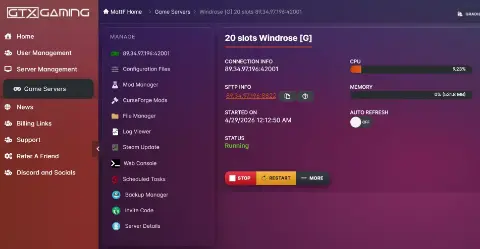
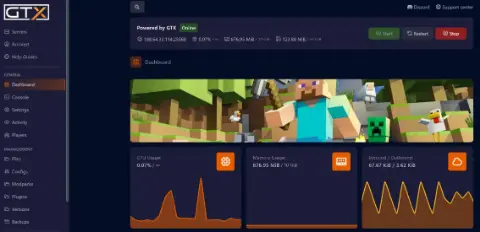
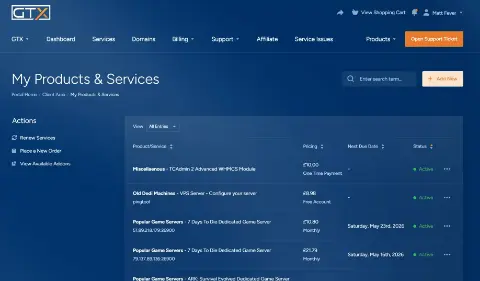
The 7 Days to Die Server Hosting Control Panel
Our custom panel makes running a 7 Days to Die server effortless, no command line required.
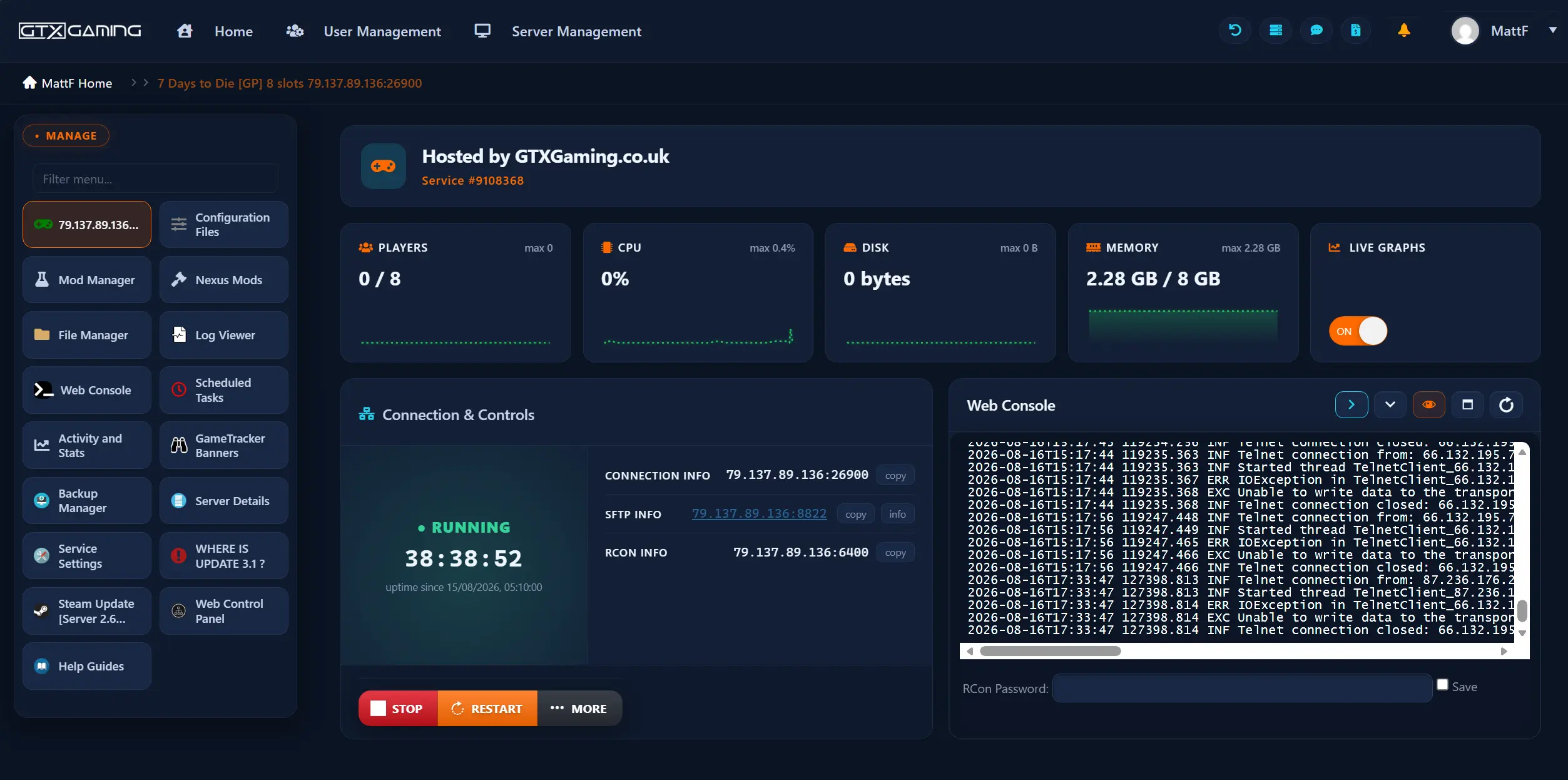
- 🎛️One-click controlsStart, stop, restart and update your server with a single button.
- 🧩Easy mod installsUpload modlets and overhauls to your server's Mods folder with the built-in file manager or SFTP, no command line needed.
- ⚙️Config editor & web consoleEdit your server name, password, world generation and Blood Moon settings, grab your connection and SFTP details and watch the live console.
- 📂Full file accessBuilt-in file manager, log viewer and SFTP for configs and server files.
- 💾Backups & restoreScheduled offsite backups you can restore in a couple of clicks with the Backup Manager.
- 📊Live statsReal-time player, CPU, disk and memory monitoring with live graphs.
7 Days to Die Server Hosting: Mods, Worlds & Auto Updates
The official dedicated server build, kept in sync with every The Fun Pimps patch automatically.
The official 7 Days to Die server build, deployed instantly and updated automatically with every The Fun Pimps patch. Prefer an older build? Legacy Alpha versions are supported too.
Always CurrentFrom server-side modlets to full overhauls like Darkness Falls and Undead Legacy. Upload to your Mods folder through the file manager or SFTP in a couple of clicks.
Deep Mod SceneRun the hand-crafted Navezgane map or generate random worlds up to 10km. Bring your existing world from another host or your own PC.
Your WorldOur knowledge base walks you through installing modlets and overhauls, world generation, server settings and backups, and 24/7 support is there when you get stuck.
7 Days to Die Server Hosting Locations: Low Ping Australia & Worldwide
Run a quick test to see your latency to our global datacentres.
What's Included With Your 7 Days to Die Server Hosting?
Every server ships fully loaded. Upgrade any part of it whenever you like.
| Resource | Included | Optional upgrade |
|---|---|---|
| Slots | Your choice of 8 to 100 players | Change your slot count any time from the client area |
| Memory | Up to 10GB RAM free | Tiers up to 64GB for big worlds and overhauls |
| Storage | Up to 100GB NVMe free | Tiers up to 200GB, plus extreme 14,000MB/s NVMe |
| CPU priority | Normal priority on high-frequency cores | High and Realtime tiers |
| CPU clock | Standard high-frequency clocks | +5%, +10% and +20% clock boost tiers |
| Protection | Enterprise DDoS mitigation | Included on every server |
| Backups | Scheduled offsite backups | Included on every server |
Slots, memory, storage and CPU priority are all picked at checkout and can be changed later without losing any server data.
7 Days to Die Server Hosting Features: Everything Built In
Every server ships with the full GTX feature set, no hidden add-ons.
7 Days to Die Server Hosting: the essentials
GTX Gaming Server Hosting Reviews
Verified Trustpilot reviews from GTX Gaming 7 Days to Die customers.
Outstanding Service & Support
Outstanding Service & Support - Matt Was Excellent! I've been incredibly impressed with GTXGaming's server hosting for 7 Days to Die. The setup was smooth, performance has been rock solid, and the mod support is exactly what I needed. But what really stood out was the customer service - Matt went above and beyond to help me with a few custom setup tweaks and made sure everything was running perfectly. Super professional, knowledgeable, and quick to respond. It's rare to get this level of support in game hosting these days. Highly recommend GTXGaming if you want a hassle-free experience with real humans who care.
I have used many Game Server Hosting…
I have used many Game Server Hosting companies, and GTXGaming.co.uk is the best by far. Super fast and helpful support, good priced, has a really user friendly server panel for managing the servers, and has mod support for the servers, also for addition support you can join their discord. I have used servers for: 7 days to die, ARK, Conan, Terraria, Valheim, Rust and Minecraft. All 10/10 experiences!
GTXGaming Review
I've used this service multiple times, for several different games (Eco, 7 days to Die, Minecraft). I've had excellent service every time, swift response time and any issue or question answered within 5-10 minutes. I honestly cannot complain about the service - the staff has been helpful, friendly and swift every time. The servers had no lag, downtime or problems, easy to configure and access.
7 Days to Die Server Hosting FAQ
How fast is 7 Days to Die server setup?
+What is included with a 7 Days to Die server?
+Can I install mods on my 7 Days to Die server?
+Does my 7 Days to Die server support crossplay?
+How do I make myself an admin on my 7 Days to Die server?
+Can I make my 7 Days to Die server private?
+How many players can join a 7 Days to Die server?
+Can I upgrade my 7 Days to Die server later?
+Which locations can I host a 7 Days to Die server in?
+Can I change how often Blood Moon horde nights happen?
+Can I choose my map or world size?
+Should I host a 7 Days to Die server from my own PC?
+How do I update my 7 Days to Die server?
+What's your refund policy?
+What is the best 7 Days to Die server hosting in Australia?
+Is GTX Gaming the cheapest 7 Days to Die server hosting in Australia?
+Do you offer monthly 7 Days to Die server hosting with no contract?
+The Complete Guide to 7 Days to Die Server Hosting in Australia & Worldwide
Everything you need to know before you rent a 7 Days to Die server in Australia or any of GTX Gaming's worldwide datacentres, from what the zombie survival crafting game actually asks of a server to mods and overhauls, crossplay, world generation, sizing slots and RAM, pricing and locations.
What Is 7 Days to Die Server Hosting?
7 Days to Die server hosting is a managed online service that runs the official 7 Days to Die dedicated server software on professional hardware in a datacentre, around the clock, so your world stays online and your community always has a persistent home to survive in. When you host your 7 Days to Die server with GTX Gaming, you choose your player slots (8 to 100), get enterprise DDoS protection, scheduled offsite backups and a web control panel that turns admin tasks (editing your server name and password, tuning Blood Moon settings, generating a new world, installing mods, restoring a backup, watching live CPU and RAM usage) into one-click operations.
We already host more than 1,000 7 Days to Die game servers on high-frequency Intel and AMD Ryzen CPUs with DDR5 memory and NVMe storage, tuned for the load patterns of a voxel survival game where zombie AI, destructible bases and horde nights can stress the server at once.
What Is 7 Days to Die?
7 Days to Die is an open-world survival horror game developed and published by The Fun Pimps. It blends voxel crafting, base building, looting and tower defense in the post-apocalyptic county of Navezgane, with one defining rule: every seventh in-game night, a Blood Moon rises and a horde of zombies attacks whatever you have built. The game spent over a decade in early access from December 2013, launched version 1.0 on 25 July 2024 for PC, PlayStation 5 and Xbox Series X|S, and added crossplay between platforms with the 2.0 Storm's Brewing update in 2025:
Every seventh night the sky turns red and a horde attacks your base. Frequency, intensity and zombie counts are all configurable on your own server.
Play the hand-crafted Navezgane county or roll a random world up to 10km, so every server can have a map nobody has looted before.
The world is fully destructible voxels. Dig in, build up and engineer kill corridors before the next horde arrives.
A deep mod scene, from small server-side modlets to total overhauls like Darkness Falls and Undead Legacy that remake the whole game.
Crossplay spans PC, PlayStation 5 and Xbox Series X|S, which makes a well-run dedicated server the natural meeting point for a mixed-platform survival crew.
Why Rent a 7 Days to Die Server?
The Fun Pimps publish free dedicated server files for 7 Days to Die, so you could self-host from a spare PC. Most communities rent instead, for reasons that show up the first time a Blood Moon lands while the host is asleep:
Your world keeps running around the clock: crops grow, land claims hold and friends in any timezone can log in and keep building.
Popular community servers attract attacks. Enterprise mitigation at the datacentre edge keeps yours online through them.
Horde night pathfinding is one of the heaviest AI loads in survival gaming. Dedicated high-frequency cores and DDR5 RAM keep it smooth.
The Fun Pimps patch 7 Days to Die regularly. A managed server updates itself; a home server waits for you to notice.
Mods, Modlets & Overhauls
Modding has kept 7 Days to Die alive for over a decade. There is no Steam Workshop for it; mods live in the server's Mods folder, which makes a host with proper file access essential:
- Overhauls: Darkness Falls, Undead Legacy and War3zuk AIO remake progression, loot and enemies into an almost new game. Players install the same overhaul on their own PC to join.
- Server-side modlets: loot, spawn rate, vehicle and quality-of-life tweaks that run entirely on the server, so players join without downloading anything.
- Easy installation: upload mods to your Mods folder with the control panel file manager or SFTP, restart, done. We support all 7 Days to Die maps, mods and DLCs.
- Custom worlds: bring a world from another host or your own PC, or generate a fresh RWG map up to 10km directly on the server.
7 Days to Die Server Commands, Admins & serverconfig.xml
Two files run a 7 Days to Die dedicated server. serverconfig.xml holds the settings, and serveradmin.xml in the save folder lists your admins, bans, whitelist and command permissions. Both are yours to edit through the control panel file manager or SFTP. The serverconfig.xml settings most owners change first:
- ServerName, ServerDescription and ServerPassword: how your server shows in the server browser, and the password players need to join.
- ServerVisibility: 2 lists your server publicly, 0 keeps it out of the server browser for a private server.
- GameWorld, WorldGenSeed and WorldGenSize: play Navezgane, or set RWG with a seed and a size for a fresh random world.
- GameDifficulty and DayNightLength: difficulty from 0 (easiest) to 5 (hardest), and the real-time minutes in one in-game day (60 by default).
- BloodMoonFrequency, BloodMoonRange and BloodMoonEnemyCount: how often horde night comes (0 turns it off), how many days it can drift, and how many zombies can be alive per player during the horde.
- LootAbundance and LandClaimSize: loot stack sizes as a percentage, and how many blocks a land claim block protects.
To make yourself admin, add your ID to serveradmin.xml with permission level 0 (the highest; 1000 is a normal player), or have an existing admin run admin add [player] 0. In game, press F1 to open the console. The commands you will use most (a player can be a name, entity ID or Steam ID):
- lp (listplayers): everyone online, with the IDs the other commands need.
- kick [player] [reason] and ban add [player] [duration] [unit] [reason]: remove a player, or ban them for minutes up to years; ban remove [player] lifts a ban.
- whitelist add [player]: add a player to your whitelist for an invite-only server.
- say [message]: send a server message to every player.
- tele [player] [player]: teleport one player to another.
- settime day or settime night: jump to day or night.
- sa (saveworld) saves the world straight away, and shutdown stops the server cleanly.
Your control panel adds the rest: the web console shows the live server output, and one-click controls start, stop, restart and update your server. Step-by-step help is in our 7 Days to Die knowledge base.
What Hardware Does 7 Days to Die Server Hosting Need?
7 Days to Die looks like a lightweight voxel game right up until horde night arrives: dozens of zombies pathfinding through a fully destructible world is a brutal single-thread CPU load, and big RWG worlds with long-lived bases push RAM and disk hard. Cheap hosts run this class of server on oversubscribed shared cores, and it shows as stutter exactly when the horde spawns. GTX Gaming 7 Days to Die servers run on:
Fast cores keep the simulation steady when the Blood Moon horde is chewing through your walls.
Up to 10GB is included free; bigger worlds, high slot counts and overhauls can step up through 12GB and 16GB tiers all the way to 64GB.
Up to 100GB free for the server build, your world saves and backups, with tiers to 200GB and an extreme 14,000MB/s NVMe option.
High and Realtime CPU priority plus +5% to +20% clock boosts squeeze out extra headroom for the busiest horde nights.
As a rule of thumb: an 8 to 16 slot vanilla server on a 6km world is comfortable on the included RAM; a modded server or an 8km world should take a RAM tier upgrade; and a 10km world running an overhaul like Darkness Falls benefits from 16GB or more plus a CPU priority upgrade.
How Much Does 7 Days to Die Server Hosting Cost in Australia?
Pricing scales with the two resources that actually matter: player slots and RAM. The three presets below cover most communities, and every part of them can be customised at checkout:
| Plan | Includes | Price | Best for |
|---|---|---|---|
| Basic | 8 slots, up to 10GB RAM, up to 100GB NVMe | A$17.21/mo | Small survival crews on a 6km world |
| Recommended | 16 slots, up to 12GB RAM, up to 100GB NVMe | A$42.14/mo | Modded community servers, most buyers |
| Ultra | 30 slots, up to 16GB RAM, up to 100GB NVMe | A$60.80/mo | Big communities, overhauls and 10km worlds |
| Custom build | Your choice: 8 to 100 slots, RAM to 64GB, storage, CPU priority | From A$17.21/mo | Anything the presets don't cover |
All plans include instant setup, DDoS protection, scheduled offsite backups, full mod support, full config access and 24/7 support, with no setup fees and no contracts.
Locations for 7 Days to Die Server Hosting
Blood Moon defence is all about reaction time, so latency matters more than you might expect in a PvE game, and it decides everything in PvP. GTX Gaming runs 7 Days to Die server hosting from our Australian datacentre in Sydney, plus 18 more locations worldwide: Singapore, Mumbai, Los Angeles, Portland, Dallas, Chicago, Miami, Charlotte, Ashburn, New York, Quebec, London, Paris, Amsterdam, Frankfurt, Helsinki, Stockholm and Moscow. Use the live ping test above to find the lowest-latency location for your crew, then pick it during checkout. If your community moves, our support team can migrate your server to another location.
Best 7 Days to Die Server Hosting: What to Compare Before You Rent
Most 7 Days to Die server rental offers look alike on paper. These are the things that decide how your world actually plays once the first Blood Moon rises:
- CPU speed on horde night: zombie pathfinding through a destructible world is a heavy single-thread load, so look for high-frequency CPUs, not just core counts. Every GTX Gaming server runs on high-frequency Intel and AMD Ryzen CPUs, with High and Realtime CPU priority as upgrades.
- RAM for your world and mods: slots alone tell you little. Check how much memory a plan includes: ours include up to 10GB, with tiers up to 64GB for 10km worlds and overhauls.
- Location: ping decides how a horde night defence feels. Pick a datacentre close to your group: we run 7 Days to Die servers in 19 locations across Europe, North America, Asia and Oceania (see Locations).
- Mods and file access: there is no Steam Workshop for 7 Days to Die, so you need a Mods folder you can actually reach. Ours is open through the file manager and SFTP, from small modlets to Darkness Falls.
- Crossplay: if console friends need to join, check that crossplay can be enabled and keep the server to server-side modlets. Every GTX Gaming server supports PC, PlayStation 5 and Xbox Series X|S crossplay.
- Control and backups: full serverconfig.xml access, scheduled offsite backups you can restore yourself, and one-click updates when The Fun Pimps release a patch.
- Billing and refunds: monthly billing with no contract, no setup fee and a 24-hour money-back guarantee, so you can try a dedicated server without risk.
Not sure which plan fits your crew? Compare them under pricing, or ask our 24/7 support team to size your server with you.
7 Days to Die Server Hosting Glossary
Quick definitions of the terms you'll meet across the game, our control panel and the knowledge base:
- Dedicated Server
- A 7 Days to Die server process running on its own datacentre machine, online 24/7 without any player needing to keep a PC on.
- Slots
- The maximum number of players your server accepts. GTX servers are sized from 8 to 100 slots, changeable at any time.
- Blood Moon
- The seventh-night horde event. Frequency, range and zombie counts are all configurable on your server.
- Navezgane
- The hand-crafted default map, a post-apocalyptic county in Arizona with fixed towns and landmarks.
- RWG
- Random World Generation: the system that builds unique random maps up to 10km for your server.
- serverconfig.xml
- The server's main settings file: name, password, world, difficulty, day length and horde settings, edited via the control panel.
- Modlet
- A small self-contained mod that usually runs server-side only, so players join without downloading anything.
- Overhaul Mod
- A total conversion such as Darkness Falls or Undead Legacy. Players install the same overhaul to join.
- Land Claim Block
- The block that protects a player's base from griefing; claim size and protection are server settings.
- Crossplay
- PC, PlayStation 5 and Xbox Series X|S players surviving on the same server, enabled since the 2.0 update.
Setup Guides & Help for Your 7 Days to Die Server
Once your 7 Days to Die server is live, our knowledge base covers the common tasks: first boot, editing your server name and password, generating a world, installing modlets and overhauls, scheduling backups and getting your community connected. Our 24/7 support team is on live chat and tickets for anything the guides don't cover:
Or start with the complete 7 Days to Die server guide: from your first world to crossplay, mods, admin and backups.
→ 7 Days to Die Help Guides & Knowledge Base
Have any questions? Contact Us
Explore Other Services
Host more of your favourites with the same instant setup and 24/7 support.
Last Updated: 13 October 2026