






 DayZ
DayZ Palworld


 Enshrouded















On this pageGathering Ingredients for Minecraft Fireworks
You're ready to light up the night sky in Minecraft! Making fireworks in the game is a fun way to celebrate special occasions or just simply add some visual excitement to your world. With a few simple ingredients and a crafting table, you'll be launching custom fireworks in no time. This step-by-step guide will walk you through creating basic fireworks, adding colors and effects, and setting them off for maximum impact. Before you know it, you'll be putting on full-blown fireworks shows to impress your friends. The possibilities for designs and patterns are endless. What are you waiting for? Grab your gunpowder and dye and let's get this pyrotechnic party started!
Gathering Ingredients for Minecraft Fireworks
Fireworks are one of the most exciting parts of Minecraft, and making your own is a blast! To craft custom fireworks, you'll need to gather a few basic ingredients:
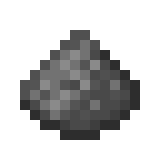 Gunpowder: The key explosive ingredient, dropped by creepers, ghasts and witches. You'll want at least 3-4 stacks to get started.
If you play on a server, our guide to running a Minecraft server explains how to set one up.
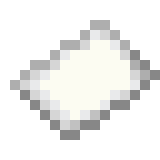 Paper: Craft paper from sugar cane to use as the casing for your firework rockets. A couple stacks will do.
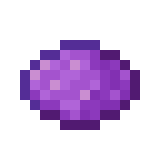 Dyes: The more dyes the merrier! Collect flowers, ink sacs, and other dye sources to color your fireworks. Red, yellow, and blue dyes create the widest range of colors when combined.
Crafting the Firework Star
The "star" is the burst of color in your firework. Place one gunpowder and 1-8 dyes of your choice on a crafting table. This creates a single firework star. The more dyes you add, the more colorful your explosion will be! Mix and match dyes to create custom colors. Go wild and experiment - you can always make more!
Assembling the Rocket
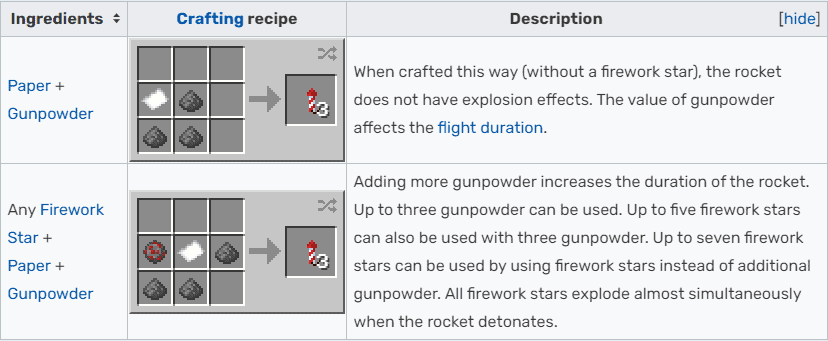
Now for the fun part - assembling your rocket! Place one gunpowder, one paper, and your firework star(s) on the crafting table. This creates an unlaunched rocket. Add more gunpowder (up to three) to increase the rocket's flight height. You can also combine multiple stars to create multicolored explosions!
Light the fuse on your rocket and watch it soar! Your dazzling display of colors will light up the night sky. Now go forth and craft to your heart's content, pyrotechnic expert! The only limit is your imagination.
Crafting Firework Stars in Different Colors
Crafting colorful firework stars in Minecraft is a blast! By combining basic firework stars with dyes, you can create an amazing pyrotechnic show.
To get started, gather some gunpowder, paper, and any dyes you want to use. The more dyes you mix in, the more colors will burst across the sky!
Place one gunpowder in the crafting grid. A firework star needs gunpowder plus at least one dye. Now the fun begins!
Add one dye to the center of the crafting grid to make a colored firework star. Want a star that fades from red to yellow? Craft a red star, then craft it again with one yellow dye to add the fade. You can combine up to eight different dyes for a rainbow of effects!
Feeling flashy? Add glowstone dust to make your fireworks twinkle brightly. Add a gold nugget for a star-shaped burst, a fire charge for a large ball or a diamond for a trail.
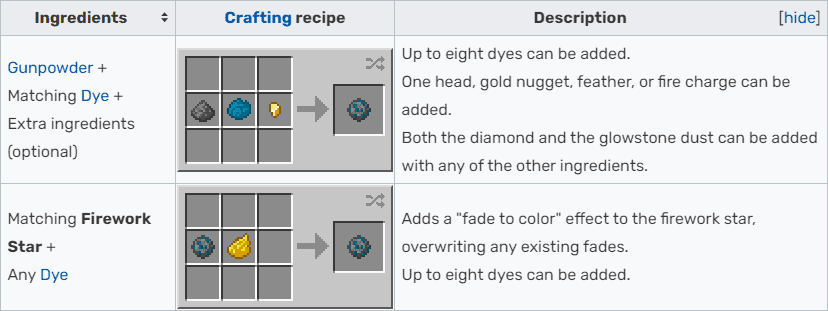
Once you've crafted your colorful firework stars, combine them with paper and gunpowder to make flight-ready fireworks. Add more gunpowder for fireworks that soar higher and explode with more pizzazz.
Now find an open space, light a firework, step back and enjoy the show! Your dazzling display of colors will light up the night, putting any other fireworks show to shame. Pyrotechnics in Minecraft has never been so fun!
Adding Effects to Firework Stars
Adding effects to your firework stars in Minecraft allows you to customize your fireworks display and make it even more exciting! Firework stars determine the effects, colors, and shapes of the fireworks. You can add up to seven firework stars to a single rocket for a multi-colored show.
To add effects to firework stars, you’ll first need to craft the stars. Place one gunpowder and one dye of your choice in the center of the crafting grid. This will give you a firework star that produces that dye's color. Now it’s time for the fun part - adding effects!
Add a diamond to get a trail effect, which causes the firework to leave a trail of dots behind it. You can also add glowstone dust to get a twinkle effect, causing crackling, glittering sparks. A feather will give you a burst effect, exploding the firework into a spherical shape. A gold nugget makes a star-shaped explosion and a fire charge a large ball.
Mix and match multiple effects to create custom firework displays! Adding two dyes, glowstone dust and a fire charge will give you a big, twinkling ball of color. A feather, diamond, and gold nugget creates glittering trails exploding into spheres. The possibilities are endless!
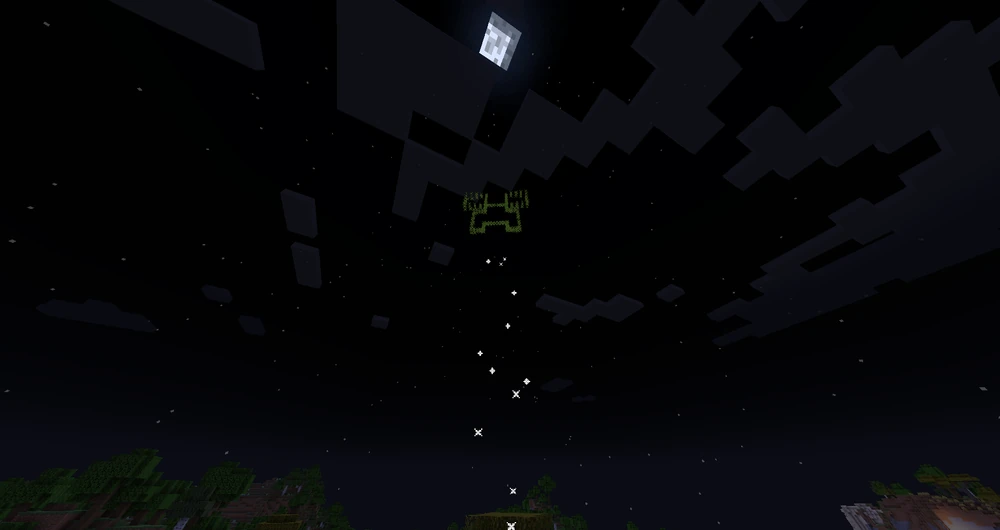
Once you have your firework stars crafted, simply add 1 paper, 1-3 gunpowder and your stars (up to 7) to the crafting grid to create your custom firework rocket. Launch it into the night sky and be dazzled by your colorful creation! With practice, you’ll be putting on firework shows to rival any 4th of July display. Fire away and have fun crafting your pyrotechnic masterpieces!
Assembling Completed Fireworks
Are you ready to put on an epic fireworks show in Minecraft? Now that you’ve crafted all your firework stars and gunpowder charges, it’s time to assemble your completed fireworks! This is the fun part.
Combining the Components
To make a firework, place 1 paper, 1-3 gunpowder (for flight duration), and 1 or more firework stars on your crafting table. Arrange them in any pattern and voila! You’ll get an unlit firework rocket. Combine different colored stars for a multi-colored effect, or load it up with the same color for a vibrant display. The more stars you add, the bigger the explosion!
Lighting the Fuse
Now for the exciting part—lighting your firework! Hold your rocket and use it on the ground (right-click on Java). There is no fuse to light: it launches straight away. Once lit, the firework will shoot up into the sky, bursting into a shower of sparks and color at its maximum height before slowly fading. Rockets with stars deal damage when they explode, so launch them away from your friends!
Combining for Massive Firepower
Feeling bold? Try combining multiple fireworks together for an even bigger bang! Load a row of dispensers with rockets and wire them to one button or lever. Press it and they all launch together, resulting in a huge burst of color and sound. Your friends will surely be impressed with a finale like this!
Let your creativity run wild—with some paper, gunpowder, and colored stars you can orchestrate your very own fireworks extravaganza in Minecraft. The possibilities for different effects are endless. Put on a show for your server and delight all your friends with these sensational pyrotechnics!
Launching Your Fireworks Display
Now it's time for the fun part—launching your fireworks display! Light up the night sky in Minecraft with a dazzling show.
Place Dispensers
To launch fireworks automatically, place dispensers loaded with firework rockets. Space the dispensers at least 5 blocks apart, aim them straight up, and wire them with redstone to a lever or button. When activated, the dispensers will shoot off the fireworks for you so you can sit back and enjoy the show!
Use Crossbows
For a more hands-on experience, load up some crossbows with firework rockets and start shooting! Aim for the sky and fire away. If you enchant your crossbow with Multishot, you'll launch three rockets at once. How cool is that?!
Launch Pad
You can also make a fun launch pad to shoot off your fireworks. Build a 3x3 platform with fences around the edge to prevent the fireworks from falling off. In the center, place a dispenser facing up and load it with rockets. Now activate the dispenser and whoosh—your rockets shoot up into the night sky in bursts of color and sparks!
Light the Fuse
Of course, you can never go wrong with the classic method of lighting the fuse and running! Hold your firework and use it on the ground, then back up quickly. In a few seconds you'll be dazzled by the explosion of effects from your handcrafted firework. Just be very careful since the lit firework could launch in any direction!
Your firework spectacular is sure to impress all who witness the shimmering wonder in the night sky. With so many ways to launch your fireworks, the fun is endless. Now get out there and light up the night, pyromaniac! The only limit is your imagination.
Conclusion
You've done it - you're now an expert Minecraft firework maker! With a little redstone and a few resources, you've crafted explosive bursts of color to light up the night sky. Whether celebrating a special occasion or just wanting to brighten up your world, fireworks add wonder and whimsy. Now get out there and put on a show! Dazzle your friends, startle some creepers, or simply sit back and enjoy the spectacle you've created. The possibilities for pyrotechnic displays are endless. You have the power to craft fireworks of every color, shape and size. So what are you waiting for? Get your Minecraft Server Hosting and unleash your creativity - the sky is the limit!