Soulmask Server Hosting UK
Rent Your Soulmask Dedicated Server
Premium Soulmask server hosting from GTX Gaming's UK and worldwide datacentres. Rent your own Soulmask server for 10 to 100 players with instant setup, an always-on Soulmask dedicated server for your tribe, your rates and rules in the GM panel, Steam Workshop mods installed from the panel, the Invitation Code for friends and clusters across two servers, up to 10GB of RAM and 100GB of NVMe storage included, daily automatic backups, enterprise DDoS protection and 24/7 support. Rent your Soulmask dedicated server from £12.00/mo.
Soulmask Server Hosting: Plans & Pricing
One Soulmask server, priced by slots, from 10 players for your own tribe up to 100 for a busy public world. Every plan includes up to 10GB of RAM, up to 100GB of NVMe storage and DDoS protection, and you can change your slots or add memory at any time without losing your world.
- Instant setup
- Up to 10GB RAM included
- Up to 100GB NVMe storage
- Daily automatic backups
- 24/7 support
- Rates and rules in the GM panel
- Invitation Code for friends
- Up to 10GB RAM included
- Daily automatic backups
- Enterprise DDoS protection
- Cluster-ready with Start.bat
- Steam Workshop mods
- RAM upgradable to 32GB
- Daily automatic backups
- Enterprise DDoS protection
Soulmask Server Hosting Control Panel
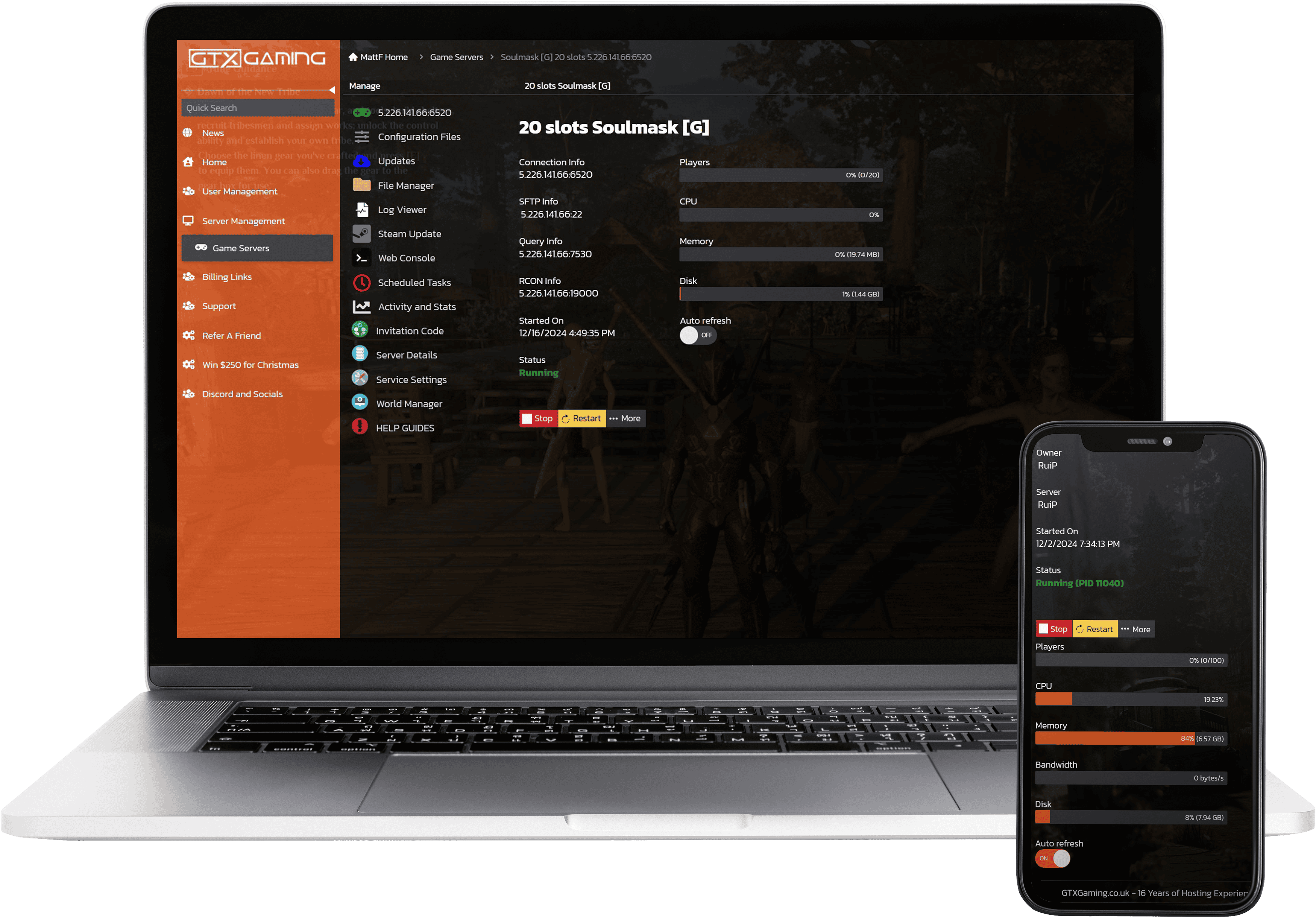
Our custom panel puts your server's settings, invitation code, files, restarts, Discord messages and backups in a browser, so you spend your time building your tribe instead of hunting through batch files.
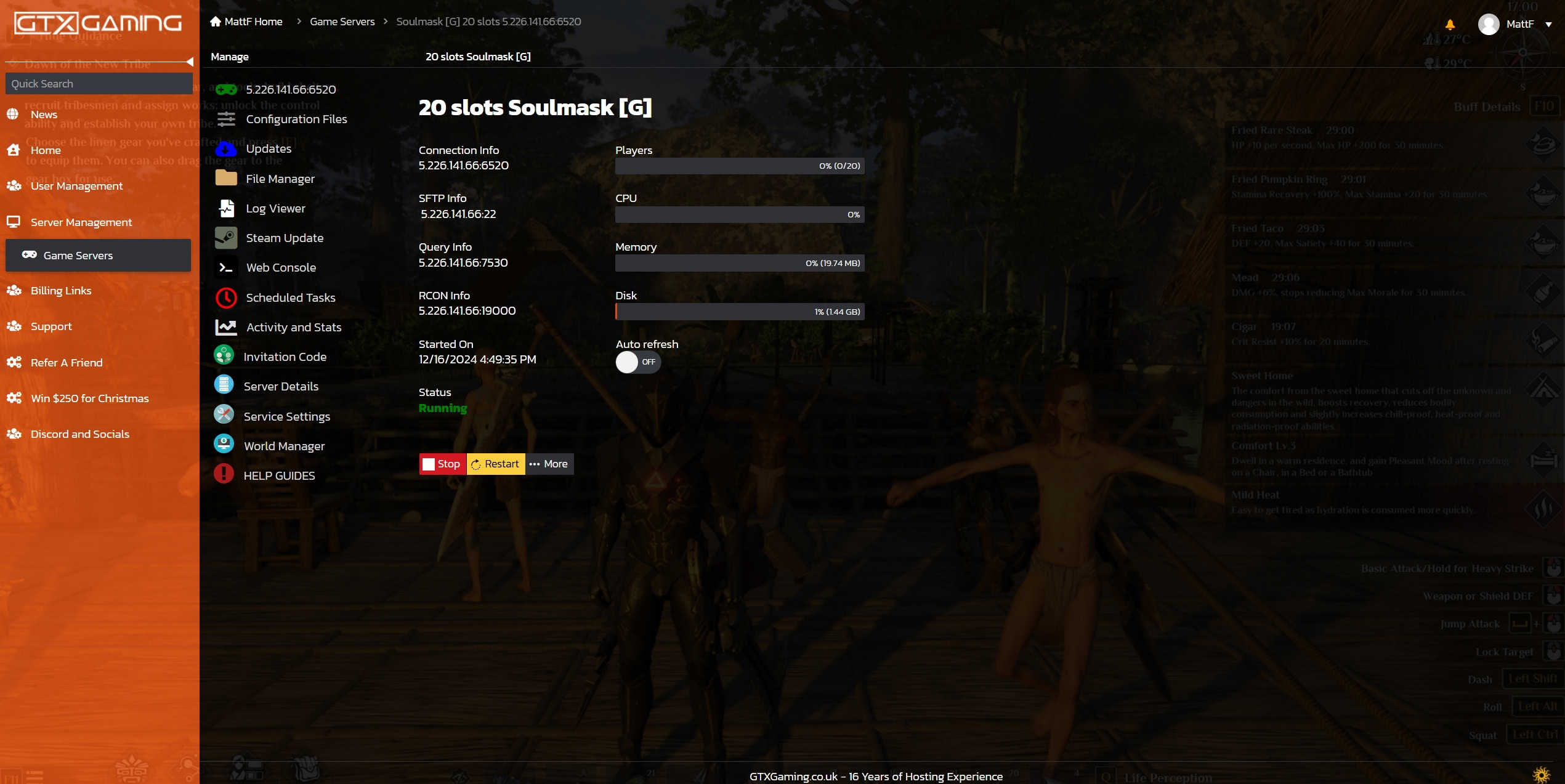
- 🎛️One-click controlsStart, stop and restart your server with a single button, and see its status and connection, query, RCON and SFTP details at a glance.
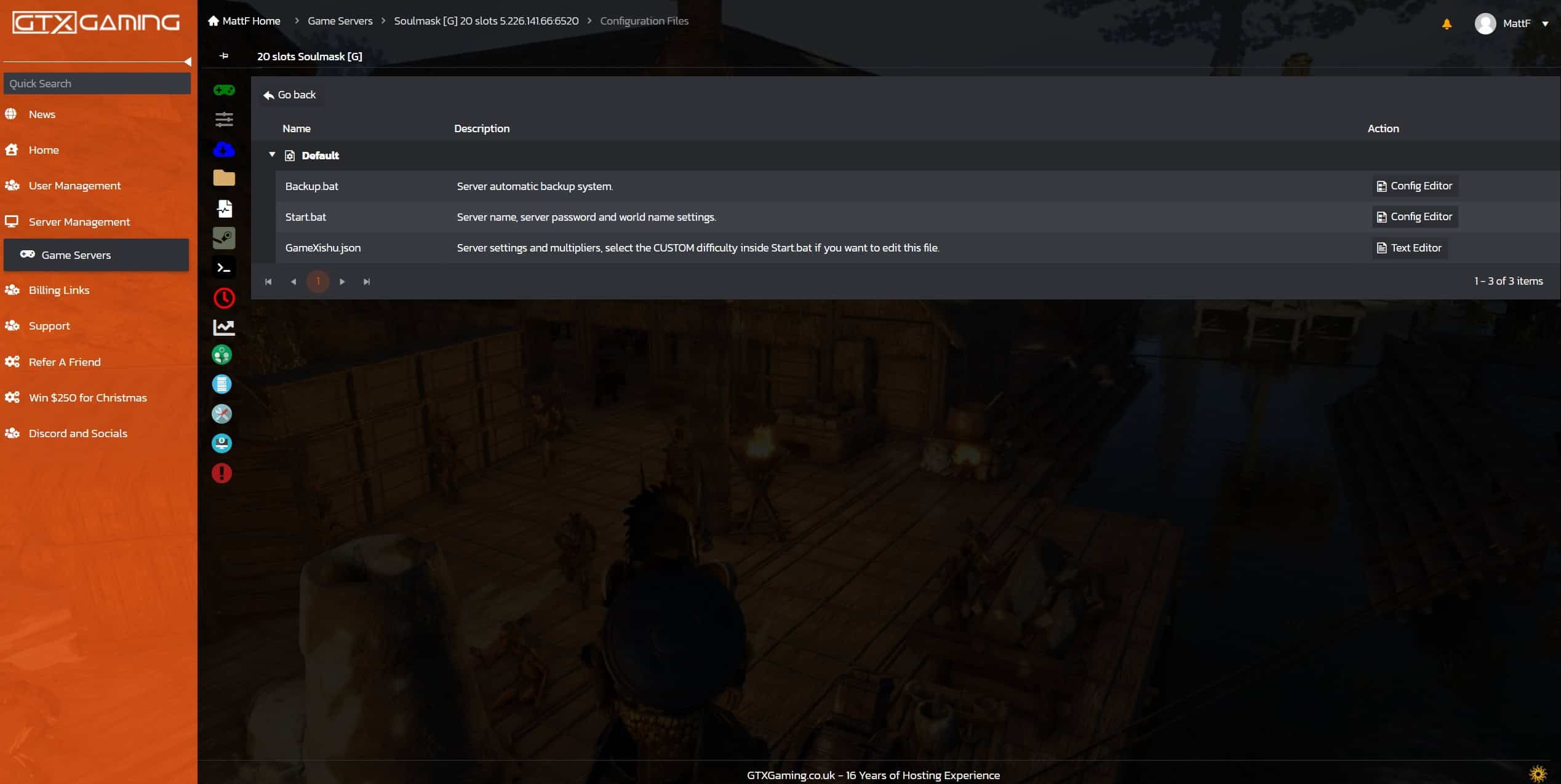
- ⚙️Start.bat in Configuration FilesYour server name, join password, admin password and cluster role live in Start.bat, edited in the browser under Configuration Files. Stop, change, save, start.
- 🎟️Invitation Code & Server DetailsThe Invitation Code button gives you the code your friends paste under Private Servers; Server Details shows your Admin Password and, for clusters, the Master Connection Info.
- 🧩Steam WorkshopBrowse the Soulmask Steam Workshop inside the panel and install a mod or a shared ship with one click, then restart.
- 💾Backups, Scheduled Tasks & DiscordDaily automatic backups plus your own in the Backup Manager, restarts, Steam updates and RCON commands on a timer with Scheduled Tasks, and a Discord webhook in Service Settings for start, stop, restart and update messages.
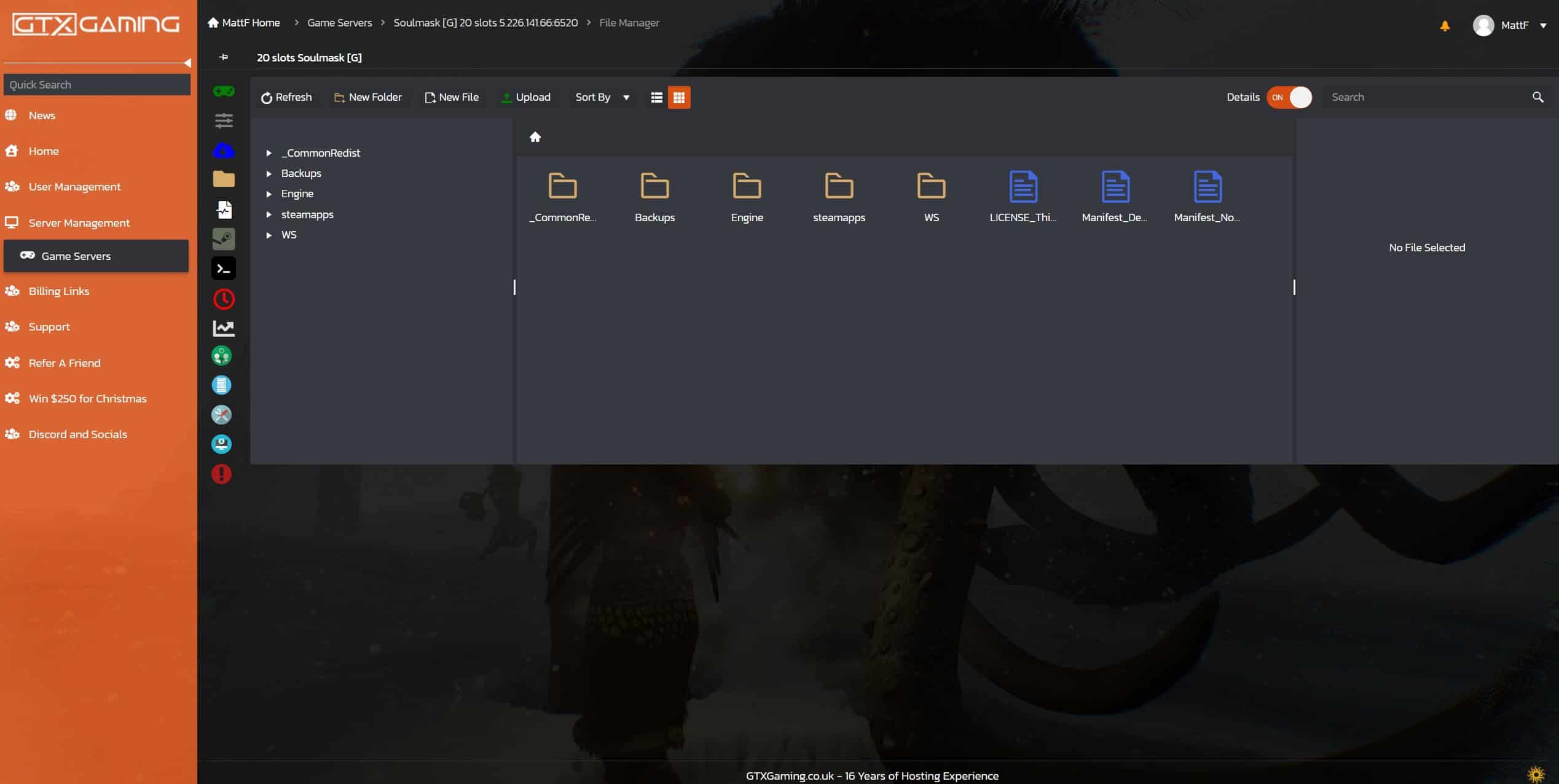
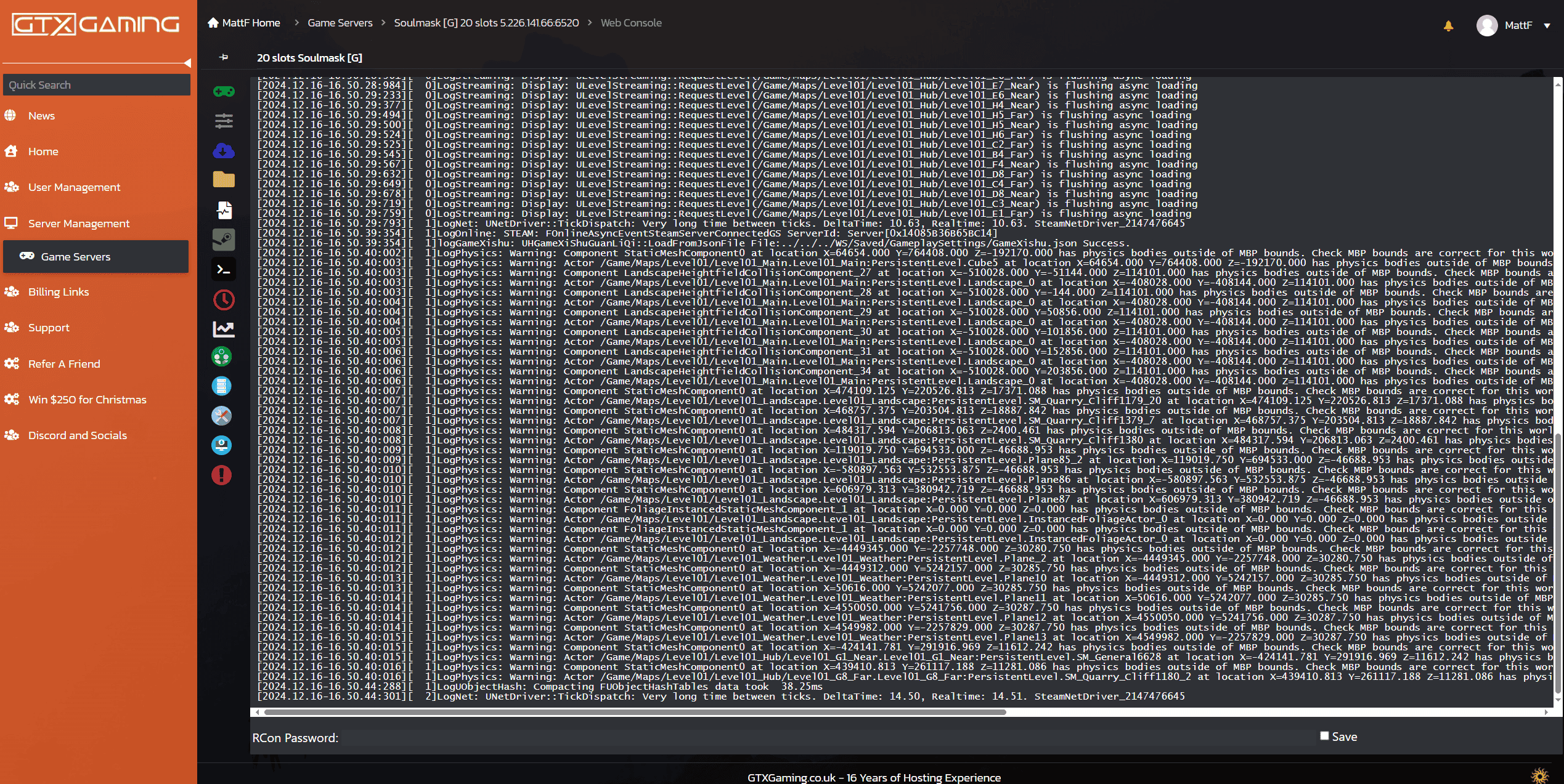
- 📊Web Console, logs & live graphsFollow the server's output in the Web Console and Log Viewer, upload a local save with the File Manager or SFTP, and watch CPU and memory on live graphs.
Soulmask Server Hosting: Rates, Rules & Admin
Soulmask keeps its server identity in Start.bat and its gameplay rules in the in-game GM panel: name and password your server in the browser, then set every rate and rule from inside the game as its admin.
Edit Start.bat under Configuration Files to set your server name, the join password for your tribe and the Admin Password you log in with.
Your ServerJoin as admin, type GM Key with your Admin Password, open the coefficient settings and tune every rate and rule, then save with GM BaoCun. Prefer a file? Pick the CUSTOM difficulty in Start.bat and edit GameXishu.json.
Your RulesWith the GM panel unlocked you can type commands in the console: add experience, revive, recruit the tribesman you aim at, teleport and more.
Your PowersOne button in the panel gives you the code your friends paste under Private Servers in Soulmask's Online Game menu, no IP needed.
Private or PublicRun two servers as master and slave with Cross-server Mode enabled, and your players travel between maps through the island portal with a tribesman.
Your NetworkOpen Steam Workshop in the panel, press Install on a mod or a shared ship blueprint and restart; read each mod's page for its map and dependencies.
Your ContentAlready running a Soulmask server at home or with another host? Upload your save with the File Manager or SFTP, set your Start.bat and start the server, and our 24/7 team can help with the move or handle it for you.
How Many Slots Does My Soulmask Server Need?
Pick a slot for every player who will be online at the same time. Tribesmen you recruit do not use slots, only real players do, and every plan includes up to 10GB of RAM.
| Slots | Best for | From |
|---|---|---|
| 10 slots | A group of friends and one tribe | £12.00/mo |
| 20 slotsRecommended | A community with two or three rival tribes | £18.00/mo |
| 40 slots | Busy co-op and PvP communities | £31.00/mo |
| 50 slots | Public servers and clusters | £36.00/mo |
| 60 slots | Large public worlds | £41.00/mo |
| 70 slots | Big communities with events | £47.00/mo |
| 80 slots | Very large communities | £52.00/mo |
| 90 slots | Networks with several tribes per map | £57.00/mo |
| 100 slots | The biggest Soulmask server we offer | £63.00/mo |
Every tier from 10 to 100 slots is in the full plan list above. On memory, on our own demo server a freshly started world with nobody online used about 8GB of RAM, so the up to 10GB included on every server covers a new tribe. More players, more tribesmen and bigger bases use more, so busy servers need more. Watch live memory use in the control panel and add memory from 12GB to 32GB at any time from your client area.
Soulmask Server Hosting Locations: Low Ping UK & Worldwide
Soulmask servers deploy in 18 locations: London, Paris, Frankfurt, Amsterdam and Stockholm in Europe; New York, Ashburn, Chicago, Dallas, Miami, Los Angeles, Portland and Quebec in North America; Sydney, Tokyo, Singapore and Mumbai in Asia-Pacific; plus Moscow. Run a quick test to see your latency to our network.
What's Included With Your Soulmask Server Hosting?
Every server ships fully loaded. Upgrade any part of it whenever you like.
| Resource | Included | Optional upgrade |
|---|---|---|
| Player slots | 10 to 100 slots, chosen at checkout | Change your slot count any time |
| Memory | Up to 10GB of RAM on every server | Tiers from 12GB to 32GB, changed any time |
| Storage | Up to 100GB NVMe free | Tiers up to 200GB, plus extreme 14,000MB/s NVMe |
| Game version | The current Soulmask release | Updated with Steam Update |
| CPU priority | Normal priority on high-frequency cores | High and Realtime tiers |
| CPU clock | Standard high-frequency clocks | +5%, +10% and +20% clock boost tiers |
| Protection | Enterprise DDoS mitigation | Included on every server |
| Backups | Daily automatic backups | Backup Manager for your own |
Slots, RAM, storage, CPU priority and clock boosts are all picked at checkout and can be changed later without losing your world. Players need their own copy of Soulmask on Steam to join; the server itself is included and installed for you.
Soulmask Server Hosting Features: Everything Built In
Every server ships with the full GTX feature set, no hidden add-ons.
Soulmask Server Hosting: the essentials
Soulmask Server Hosting FAQ
How fast is Soulmask server setup?
+What is Soulmask server hosting?
+How do I join my Soulmask server?
+Can I play Soulmask on Xbox or PlayStation?
+How many players can join my Soulmask server?
+How much RAM does a Soulmask server need?
+How much does Soulmask server hosting cost in the UK?
+Which locations can I host a Soulmask server in?
+Can I change the rates and difficulty on my Soulmask server?
+How do I use admin commands on my Soulmask server?
+Can I install Steam Workshop mods on my Soulmask server?
+Can I link two Soulmask servers into a cluster?
+Can I move my existing Soulmask world to GTX Gaming?
+Can I upgrade my Soulmask server later?
+The Complete Guide to Soulmask Server Hosting in the UK & Worldwide
Everything you need to know before you rent a Soulmask server in the UK or any of GTX Gaming's worldwide datacentres, from joining with the Invitation Code and setting up Start.bat to the GM panel, rates and rules, admin commands, Steam Workshop mods, clusters, slots, RAM, pricing and locations.
What Is Soulmask Server Hosting?
Soulmask server hosting is a managed service that runs a Soulmask dedicated server on professional hardware in a datacentre, around the clock, so your tribe keeps gathering, crafting and guarding whether or not anyone is at their PC. Every GTX Gaming Soulmask server includes up to 10GB of RAM, up to 100GB of NVMe storage, daily automatic backups, enterprise DDoS protection and a web control panel, so jobs like naming your server, sharing the Invitation Code or scheduling a restart take a few clicks.
People look for it as a Soulmask dedicated server, a Soulmask private server, a Soulmask game server or Soulmask server rental. They all mean the same thing: your own always-on Soulmask server, with your world, your tribe and your rules.
What Is Soulmask?
Soulmask is an open-world survival game from CampFire Studio, published by Qooland Games. You escape a sacrificial ritual with an ancient mask that lets you possess your tribespeople, recruit followers and build a thriving tribe in a vast primitive world. It arrived in Early Access on Steam on 31 May 2024 and left Early Access with version 1.0 in April 2026, alongside the Shifting Sands DLC.
- Masks and tribesmen: the mask is the heart of the game. Possess a tribesman, use their talents and skills, and send the rest of your tribe to farm, craft and defend while you explore.
- A tribe that works without you: your recruits keep gathering and building on their own, which is exactly why an always-on server suits Soulmask so well.
- A big, growing world: the base map's rainforest and the Shifting Sands desert were joined by the Burning Highlands in the Beyond Gravity update of August 2026, and World Portals let players travel between the base game and DLC worlds.
- Still updated: CampFire Studio passed 1 million copies with the 1.0 launch, added Casual Mode for relaxed building, ran a 90-day overhaul of balance, combat and building in summer 2026 and keeps shipping numbered 1.0 patches.
Why Rent Your Own Soulmask Server?
Soulmask is built around a tribe that keeps working while you are away, and that only pays off if the world is always there. Most groups rent rather than host at home, for reasons that show up within the first week:
- Always online: the server runs 24 hours a day, so your tribesmen keep farming and crafting, and friends in other time zones can log in when they like.
- Nothing to run at home: no ports to open on your router and no PC left running all night with the server eating its RAM.
- Room for everyone: from 10 slots for one tribe of friends to 100 for a public world with several rival tribes.
- Proper hardware: high-frequency CPUs and NVMe storage in a datacentre, with DDoS protection at the network edge for raid night.
- Backups and support: daily automatic backups and a 24/7 support team mean a failed raid or a bad update is an inconvenience, not the end of your tribe.
Getting Started & Joining Your Soulmask Server
Your server is installed the moment you order. From there, getting your tribe into the world typically looks like this:
- Order: choose your slots and your location, and your server is set up instantly.
- Name it: stop the server, open Start.bat under Configuration Files, set your server name and passwords, save and press START.
- Wait a few minutes: a Soulmask server takes a little while to come online after START; the panel shows when it is running.
- Share the code: press the Invitation Code button in the control panel and send the code to your friends.
- Join: in Soulmask open Online Game, go to the Private Servers tab, paste the Invitation Code into the field at the top right and press Enter. Your server appears in the list.
You can also search for your server by name under Private Servers, or use Connect to the server directly with the address and port shown under Connection Info in your panel (the game port, not the query or RCON port). Our joining guide covers all three ways with pictures.
Start.bat: Server Name, Passwords & Cluster Role
Soulmask reads its server identity from the start command, and our panel exposes it as Start.bat under Configuration Files, so you never touch a command line:
- Server Name: what players see in the server list. A unique name is easier to find.
- Join password: set one for a private world; leave it empty for a public server.
- Admin Password: the password you type after GM Key in the game to unlock admin rights. It is also shown under Server Details in the panel.
- Cluster role: a dropdown that makes this server a master or a slave when you link two servers (see Clusters below).
Stop the server before you edit Start.bat, save it, then start the server again for the change to take effect. The GTX panel also shows connection, query, RCON and SFTP details on the home page, so you always know where your server lives.
The GM Panel: Rates, Rules & Difficulty
Unlike most survival games, Soulmask keeps its gameplay settings inside the game rather than in a config file you edit by hand. The admin opens the GM panel from inside the world and changes everything there:
- Open the console: join your server and press the ~ key (on some keyboard layouts it is the \ key; switching your layout to English (US) helps if neither works).
- Unlock admin: type GM Key followed by your Admin Password. The GM panel opens.
- Tune the world: press Open coefficient settings at the bottom of the panel. This is where the rates and rules live, from experience and harvesting multipliers to difficulty and the Cross-server Mode switch for clusters.
- Save: open the console again and type GM BaoCun. That is the command that saves what you changed; without it your tweaks are lost.
Prefer a file? Start.bat also carries the difficulty setting: pick CUSTOM there and GameXishu.json, the multipliers file under Configuration Files, becomes yours to edit with the Text Editor, from ExpRatio for experience to the harvesting and crafting ratios. The GM panel is the easier route for most tribes.
Treat your Admin Password like any other password: share it only with the people who should be running the server. Our settings guide walks through the GM panel step by step.
Admin Commands for Your Soulmask Server
Once GM Key has unlocked admin rights you can close the GM panel and type commands straight into the console; it auto-completes as you type. The ones admins reach for most, from our admin commands guide:
- gm AddExp [value]: add experience to your character; gm Addmjexp adds mask experience and gm Addshoulieexp hunting experience.
- gm FuHuo: revive on the spot after a bad fight.
- gm ZhaoMu: recruit the tribesman you are aiming at straight away.
- gm Go [x] [y] [z]: teleport to a position; GPS shows your own coordinates.
- gm XiDian: reset your skill points.
Our Soulmask console commands page lists many more, and RCON commands can be sent from the panel or on a timer with Scheduled Tasks, so routine admin jobs do not need you in the game.
Mods from the Steam Workshop
Soulmask has a Steam Workshop, and our panel puts it one click away: open Steam Workshop in your control panel, browse by popularity or search for what you want, press Install and restart the server. You will find gameplay mods, new weapons and armour sets, camera tweaks and shared ships and airships. Read a mod's page first: some need another mod installed as a dependency, and some are only tested on the base map or on the Shifting Sands DLC. Take a backup before you add a mod, since mods can stop working after a game update until their makers catch up.
Clusters: Linking Two Soulmask Servers
Soulmask lets two servers form a cluster, so players can travel between maps and servers through the portal on the mysterious island. It takes two GTX Gaming Soulmask servers and a few settings:
- Master first: stop the master server, set it to master in the cluster dropdown of its Start.bat, start it, join as admin and enable Cross-server Mode in the coefficient settings.
- Then the slave: copy the Master Connection Info from the master's Server Details, paste it into the slave's Start.bat with the slave role selected, start it, join as admin and enable Cross-server Mode there too.
- Rules of the road: both servers need the same join password if you use one, the master always starts first and stops last, and travel between servers is done with a tribesman rather than your initial character.
Keep the two configurations consistent and both servers online before anyone transfers, and the portal just works. The full walkthrough, including common transfer errors, is in our cluster guide.
Discord Messages, Restarts & Updates
A good server runs itself most of the week. Three panel features do the routine work:
- Discord notifications: create a webhook in your Discord channel, paste its URL into Service Settings and tick the messages you want. Your server then posts start, stop, scheduled restart and update messages to your channel by itself.
- Scheduled restarts: Scheduled Tasks restarts the server on a timer, with a warning message to players first, so nobody loses a hunt to a surprise restart.
- Automatic updates: schedule Steam updates with the same warning messages, and CampFire's weekly 1.0 patches install without you watching for them.
How Much Does Soulmask Server Hosting Cost in the UK?
Pricing is simple: you pay for the number of slots, with up to 10GB of RAM and up to 100GB of NVMe storage included on every server:
- 10 slots: from £12.00/mo. A group of friends and one tribe.
- 20 slots: from £18.00/mo. A community with a few rival tribes.
- 50 slots: from £36.00/mo. Public servers and clusters.
- 70 slots: from £47.00/mo. Big communities with events.
- 100 slots: from £63.00/mo. The biggest Soulmask server we offer.
Every tier in between is in the full plan list at the top of this page. All plans include instant setup, DDoS protection, daily automatic backups and 24/7 support, with no setup fee and no contract. Billing is monthly by default, with three-month, six-month and yearly cycles available at a discount, and you can change plan or cancel at any time.
How Many Slots and How Much RAM Does a Soulmask Server Need?
Choose a slot for every player who will be online at the same time; the tribesmen you recruit do not use slots. 10 slots suits one tribe of friends, 20 slots a community with a few rival tribes, and 50 slots or more a public server. On memory, on our own demo server a freshly started world with nobody online used about 8GB of RAM, so the up to 10GB included on every server covers a new tribe. More players, more tribesmen and bigger bases use more, so busy servers need more. The up to 10GB included with every server is the place to start, the control panel shows live memory use, and you can add memory from 12GB to 32GB at any time.
Locations for Soulmask Server Hosting
Soulmask combat is all about timing a dodge or a parry, and nobody enjoys losing a boss fight to lag, so host close to your players. GTX Gaming runs Soulmask server hosting from a UK datacentre in London plus 17 more locations worldwide: Paris, Frankfurt, Amsterdam and Stockholm in Europe; New York, Ashburn, Chicago, Dallas, Miami, Los Angeles, Portland and Quebec in North America; Sydney, Tokyo, Singapore and Mumbai in Asia-Pacific; plus Moscow. Some locations carry a surcharge, shown at checkout. Use the live ping test above to find the lowest-latency location for your tribe, pick it at checkout, and if you need to move later our support team can migrate your server.
Soulmask Server Hosting Glossary
Quick definitions of the terms you'll meet across Soulmask, our control panel and your Soulmask dedicated server:
- Dedicated Server
- A server that runs your world by itself, around the clock, without a player hosting it from their own game.
- Mask
- The ancient artefact at the heart of Soulmask: it lets you possess tribesmen and grows in power as you play.
- Tribesman
- A character you recruit into your tribe, each with their own talents, who works for the tribe while you are away.
- Invitation Code
- The code from your control panel that friends paste under Private Servers to find your server.
- Start.bat
- The start file under Configuration Files that holds your server name, passwords and cluster role.
- GM Panel
- The in-game admin panel opened with GM Key and your Admin Password; its coefficient settings hold the rates and rules.
- GM BaoCun
- The console command that saves the changes you made in the GM panel.
- GameXishu.json
- The multipliers file under Configuration Files, editable once Start.bat is set to the CUSTOM difficulty.
- Steam Workshop
- Where Soulmask mods and shared ships live; the panel's Steam Workshop tool installs them.
- Cross-server Mode
- The coefficient setting that lets a server take part in a cluster.
- Master and Slave
- The two roles in a Soulmask cluster; the master starts first and stops last.
- Shifting Sands
- The desert DLC released with Soulmask 1.0, extended by the Burning Highlands in the Beyond Gravity update.
- Casual Mode
- The relaxed way to play added after 1.0, with a creator menu and no item loss on death.
- RCON
- Remote console: a way to send commands to the server from the panel or on a schedule.
- SFTP
- Secure file transfer for moving files, such as a local save, between your PC and your server.
Setup Guides & Help for Your Soulmask Server
Once your Soulmask server is live, our help guides cover the common jobs, such as uploading a local save to your server and setting up Discord notifications, and the help guides in your client area list the rest. Our 24/7 support team is on live chat and tickets for anything the guides don't cover:
Explore Other Services
Host more of your favourites with the same instant setup and 24/7 support.
Last Updated: October 8, 2026