






 DayZ
DayZ Palworld


 Enshrouded
















On this pageHow to create and join a Guild in Palworld
In Palworld, the process of establishing or joining Guilds, which enables you to share your bases with friends, lacks clear explanations.
Luckily, setting up and joining Guilds in your Palworld server hosting is a simple process. Here's a step-by-step guide on how to do it.
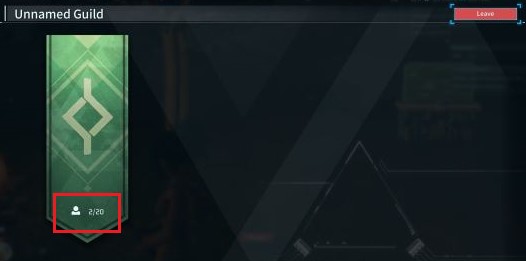
How to create and join a Guild in Palworld
In Palworld, the functioning of Guilds differs somewhat from other games. Each player can belong to a single Guild. Players have the ability to invite others to join their Guild, with a default maximum of 20 players (server admins can change this with the GuildPlayerMaxNum setting). Therefore, you can invite up to 19 others to join you in your Guild.
Want a world that stays online when you log off? Our Palworld dedicated server guide shows how.
Here's the process for inviting players to join your Guild:
- Ensure that the person you wish to invite is either in your multiplayer world or you are in theirs.
- Locate each other in the game environment.
- The person wanting to join the other person's Guild should hover their cursor over or position their camera on the player whose Guild they want to join.
- Activate the Join Guild option by pressing and holding X on the controller or the equivalent on the keyboard.
- The Guild host will receive a pop-up notification indicating the other person's wish to join. If you are willing to accept, confirm the request.
Here you have it. Since the 1.0 update guilds have multiple roles with permissions you can assign to each role, login and logout notifications for members and a guild marker you can share on the map. Guild members can also leave voluntarily through the Guild menu.
What are the advantages of a Guild in Palworld?
Players within a Guild have the privilege of accessing one another's bases and utilizing various structures like workbenches and beds. My friend and I were even able to use the Palbox for trading Pals.
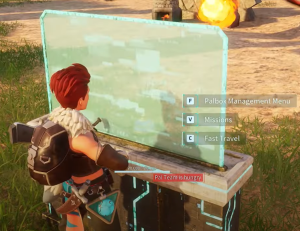 Palworld left early access with the 1.0 release on 10 July 2026, which added guild roles with their own permissions, and some structures can now be restricted to specific roles. A Guild is still worth it mainly if you want to collaborate or socialize with specific players.
Upon leaving a Guild, access to other members' bases is revoked, but it opens the possibility to join a different Guild. Based on our observations, players seem limited to joining just one Guild per world. While this may not pose a significant issue in smaller 4-player sessions, it could be more limiting in larger Palworld dedicated servers accommodating up to 32 players. We will provide updates to this information as we gather more insights into Palworld's Guild system.
More Palworld guides: Palworld Pal Trading Made Easy - Swap Pals With Friends, Best World Settings for Palworld and Palworld Game Server Admin Commands.
Running your own server? Our support guides show how to host a Palworld crossplay server for Xbox, PS5 and Steam.
Keep playing: more Palworld guides
- CrossplayPalworld pal trading: swap Pals with friends4 min read
- CrossplayHow to play Palworld with friends3 min read
- PlayPalworld Pals Guide: The Full List52 min read
- SettingsBest world settings for Palworld4 min read
- PlayPalworld Coal Guide: All Coal Farming Locations Revealed!3 min read
- PlayPalworld Stairs 101: A Beginner's Guide to Building Stairs3 min read